Can you own and fly planes and helicopters in GTA 6?
Fly planes in GTA 6 from Southwind or Vice City International Airport. See the PS5 and Xbox controls, and what launch confirms about owning one.
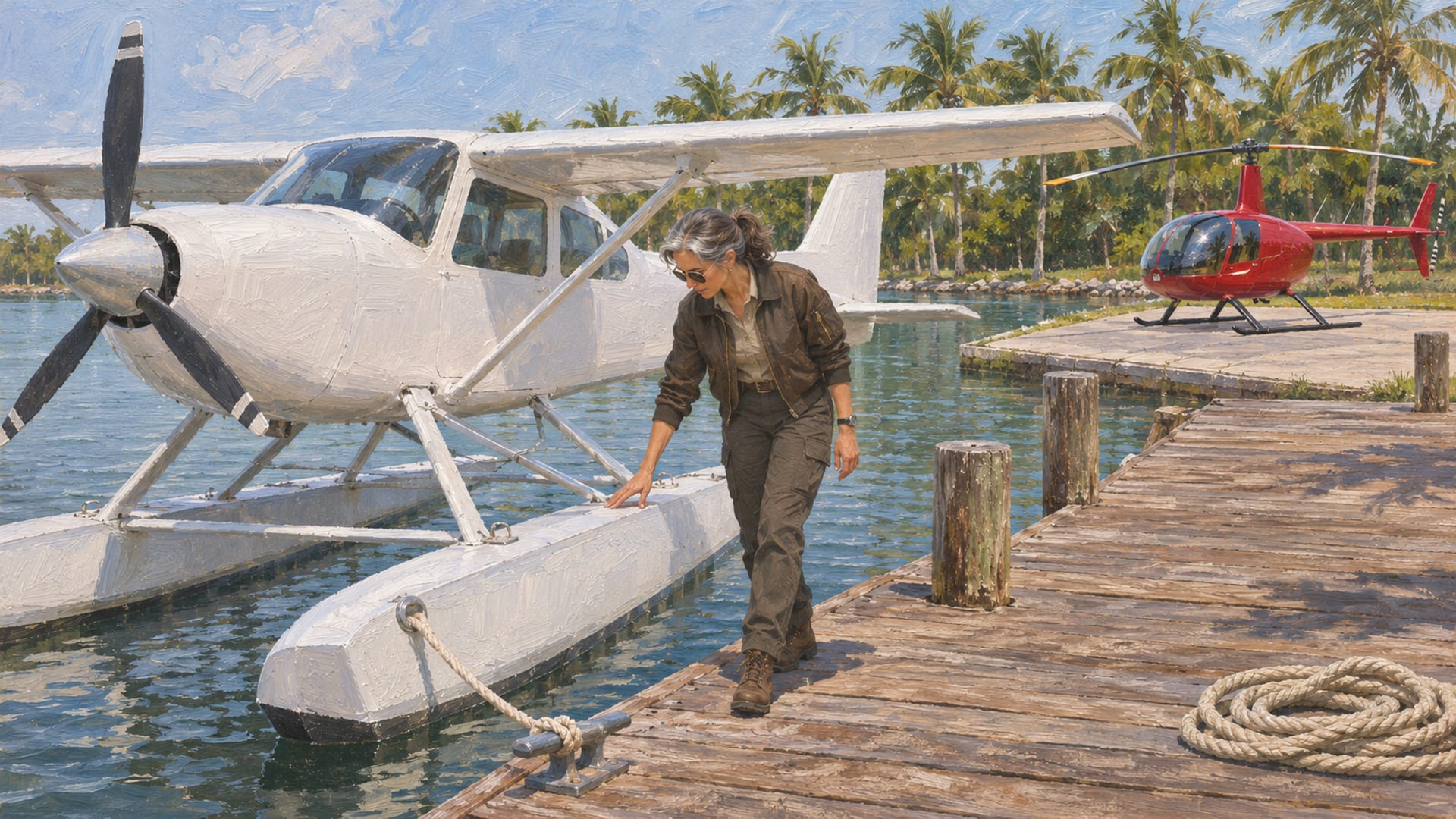
Planes and helicopters are flyable in GTA 6 on PS5 and Xbox Series X|S, and the first two sit close to where you start. PC Gamer's November 18 launch guide places a Mammoth Dodo seaplane and a Buckingham Maverick helicopter at Southwind, southwest of Jason's starting area.
The aircraft you reach at launch are ones you take, not ones you buy. Treat a plane or helicopter as temporary unless the game shows a saved-aircraft or ownership marker on it, and look in your garage and property menus before you count on it being there next session.
Flying opens in free roam after the opening section. Vice City International Airport adds parked passenger jets, and entering it can bring police attention. A patch can change prices, hangar storage and controls, so check the details below in your own game after an update.
Key Takeaways
Flying
Planes and helicopters are flyable on PS5 and Xbox Series X|S, with free-roam flying reported to open after the opening section.
First aircraft
PC Gamer places a Mammoth Dodo seaplane and a Buckingham Maverick helicopter at the Southwind hangar and dock.
Ownership
Treat every aircraft as temporary unless the game shows a saved-aircraft or ownership marker on it.
Controls
Hold R2 or RT to accelerate, pull back on the left stick to lift off, and press L3 or LS to raise the landing gear.
Can you fly planes and helicopters in GTA 6?
You can, on the two launch platforms. Rockstar announced GTA VI for PlayStation 5 and Xbox Series X|S with a November 19, 2026 launch, and Take-Two lists the same date and platforms.
Planes and helicopters are both reported as flyable. GTABase's flying guide, published November 22, covers both, and its controls are laid out in the controls section further down the page.
Timing matters if you are still in the opening hours. Leonida Waypoint's flying guide reports that free-roam flying opens after the opening section, and that some mission aircraft and locations can depend on how far you have played. Guía Leonida gives the same free-roam timing in its November 23 write-up.
Leonida Waypoint reports no separate flight school. Finish the opening section, walk up to an aircraft, and follow the on-screen prompts before you assume a license or unlock is in the way.
Platform matters too. The details here are for PS5 and Xbox Series X|S. Rockstar has not announced a PC release date or PC requirements, and the PC countdown tracks that status if you are waiting on a PC version.
Can you own an aircraft and keep it?
This is the part to check in your own game. Players take aircraft from an airstrip, a dock, a helipad, an airport or a mission sequence, and the practical way to think about them is as vehicles you borrow for a flight.
GTA 6 Everything's November 18 roundup separates the aircraft you can fly from the question of ownership, and keeps registration and storage apart as things to confirm in game. Leonida Streets' vehicle-buying page, dated November 21, is the place to compare against for how vehicles are bought. A later patch may add an aircraft dealership, registration or storage.
So, what should you do at the controls? Treat the aircraft as temporary unless the game shows a saved-aircraft or ownership marker on it. Land somewhere safe, step out, and then check three places before you rely on it: your garage, the property menu, and the map.
In the garage, look for an aircraft entry or a plane or helicopter slot. In the property menu, look for a hangar or helipad listing you can buy or rent. On the map, look for a marker on the aircraft after you leave it. If none of the three shows anything, plan to take another aircraft next time.
Our garages guide covers how cars are stored and owned, which is the system to compare against. Edition items are listed in the Ultimate Edition items post, so check your own edition's list there and in the live menu.
Prices work the same way. Read any aircraft or hangar price in the live menu before you plan around it, because a number from a rumor or a thumbnail is not a menu price.
Where to find your first plane and helicopter
The clearest early route is Southwind. PC Gamer's first plane and helicopter guide, published November 18, sends you southwest from Jason's starting area to the lot near Sherwin Boatworks and Chicki's Tiki Bar. From there, check the small hangar and the dock.
PC Gamer reports a Mammoth Dodo seaplane at the hangar or the nearby dock, and a Buckingham Maverick helicopter at the dock. The Dodo is the one to learn on, since a seaplane can take off from open water as well as from land. The Maverick is your first helicopter, and its controls are covered below.
Check that the aircraft is actually there in your current game version before you walk across the map for it. These are the spots from the first week after launch, and a patch can move or change them.
The Southwind lot is a good place to practice. Open water gives you a wide runway, and you can learn the speed and pitch feel before you try a tight strip. The Leonida map page shows the area, and the map guide covers the wider map around it.
Aircraft locations reported in launch week
| Aircraft or place | Where players take it | Reported by |
|---|---|---|
| Mammoth Dodo seaplane | Southwind hangar or nearby dock | PC Gamer, November 18, 2026 |
| Buckingham Maverick helicopter | Southwind dock | PC Gamer, November 18, 2026 |
| Botticher 015A and Lapwing Streamer 216-C | Vice City International Airport | PC Gamer, November 18, 2026 |
| Passenger jet | Vice City International Airport, parked on the runways | PowerPyx and Cultured Vultures, November 22 to 23, 2026 |
| Military aircraft | Mile Zero Air Station | GTA Culture and other guides, November 18 to 22, 2026 |
| Kyle's Mallard | Named in a creator's list of aircraft locations | ConCon, November 19, 2026 |
Kyle's Mallard is worth a note of its own. A creator video names it among the aircraft locations, and the same entry appears in a GTA Culture list that marks several spots as reported. Whether you can keep that aircraft is a question for your own garage and map, so land, step out and look before you count on it.
A good habit while you hunt: when you find an aircraft, check three things before you lift off. Is it in your current game version, what do the control prompts on screen say, and is there open space in front of you for the takeoff run. Those three checks save a lot of restarts.
These rows are examples of where aircraft turned up in launch week, not a full roster. Rural airstrips and helipads appear in the guides too, so check your own map as you explore, and send a location you find if you want it shared.
Can you ride in a passenger plane in GTA 6?
You can climb into one and fly it yourself. PC Gamer's airport location guide puts Vice City International Airport on the map and describes commercial jets parked on its runways, including the Botticher 015A and the Lapwing Streamer 216-C.
Cultured Vultures' Catch Me If You Can trophy guide, dated November 22, walks through the route. You enter the airport, reach a parked jet, get into the cockpit and fly it away. Gamerhour's trophy guide, dated November 23, covers the same trophy.
For video, PowerPyx's GTA 6 - Catch Me If You Can Achievement/Trophy Guide - Fly a Passenger Jet Plane from VCIA, uploaded November 23, shows the trophy route. It is a place to see the route before you try it.
Riding as an ordinary passenger is a different question. A community clip on GTA VI Japan, updated November 21, shows the player aboard a passenger plane in flight. Treat it as a moment players have caught on camera rather than a ticketed flight you can book.
So, if you want a normal passenger seat, look for a boarding prompt, a ticket option or a waiting area at the airport. If you only find an entry prompt on a parked jet, that is the route to the cockpit. Either way, entering the airport can bring police attention, which is covered under wanted levels further down.
Flight controls on PS5 and Xbox
These are the default plane controls as listed by GTABase and, in Spanish, by OpenLeonida, both from the week of launch. Confirm the prompts on screen when you sit down, because controls and accessibility settings can change with an update.
Default plane controls, PS5 and Xbox
| Action | PS5 | Xbox |
|---|---|---|
| Accelerate | Hold R2 | Hold RT |
| Slow down or brake | Hold L2 | Hold LT |
| Pitch and roll | Left stick | Left stick |
| Yaw left or right | Square or Circle | X or B |
| Landing gear | Press L3 | Press LS |
| Exit the aircraft | Triangle | Y |
| Fire, if armed | R1 | RB |
| Select aircraft weapon | Hold L1 | Hold LB |
Pitch is the nose going up or down, roll is the aircraft banking, and yaw is the nose swinging left or right. The left stick handles pitch and roll together, and the face buttons handle yaw for small heading corrections.
Helicopters use the same buttons differently. Hold R2 or RT to climb, hold L2 or LT to descend, and use Square and Circle on PS5 or X and B on Xbox to turn.
Here is a first flight in a plane, from the lineup to the landing:
Your first flight
Line up
Get into a plane and point it down a runway, an open strip or clear water.
Build speed
Hold R2 or RT to accelerate along the run.
Lift off
Pull back gently on the left stick when the plane is fast enough to rise.
Gear up
Press L3 or LS once you are airborne to raise the landing gear.
Hold your heading
Use Square and Circle or X and B for small heading corrections.
Slow down
Hold L2 or LT to reduce speed before you land.
Gear down and land
Lower the landing gear with L3 or LS and descend gradually onto the strip or the water.
A seaplane such as the Dodo can take off from water, so open water near Southwind is a wide place to practice speed, pitch and landings before you try the airport.
If you want a clean aircraft screenshot afterward, the photo mode guide covers the capture tools, and the wardrobe has outfit ideas for a pilot look.
Military aircraft and wanted levels
Some aircraft come with a bigger price in police attention. Launch-week guides report military aircraft at Mile Zero Air Station, and taking one can trigger a high wanted level. GTA Culture's aircraft location list, updated November 18, includes that location along with several others it marks as reported.
Vice City International Airport carries its own risk. The airport can be restricted, and entering it to take a jet can bring police attention, according to PC Gamer and Cultured Vultures. How hard the response hits can change with a patch, so treat what you see in your own game as the real answer.
Save before you try either location. A wanted level at an airport can end a flight early, and a fresh save gives you something to return to.
The first plane and helicopter at Southwind are the low-risk way to learn. Get comfortable with takeoff, heading and landing there before you take a jet from a restricted airport.
What can change with a patch
Several things are tied to the launch version. Aircraft locations, wanted-level behavior at Vice City International Airport and Mile Zero Air Station, controls, and accessibility settings can change. So can aircraft fuel behavior and flight ceiling, if those turn out to matter in your game.
The ownership picture is the biggest one to watch. An aircraft dealership, aircraft prices, saved aircraft, a hangar or a helipad you can store things in could all arrive in a later update. Whether an aircraft you took stays after you save or progress the story is worth checking in your own session too.
Passenger flights are the other open item. A ticketed or scheduled passenger trip could arrive in an update, and it would be a separate feature from taking a parked jet.
A simple routine keeps you current. When a patch lands, repeat the garage, property menu and map check from the ownership section with the same aircraft, and fly the Southwind pair once to confirm the controls still match the table. Note your platform and the date, since a note like that makes a build or a clip easier to place later.
If you spot a change, submit a public post link with your platform and game version, so the next reader knows what version a claim belongs to. For anything about flying cars rather than ordinary aircraft, the flying cars post is the one to read.
Quick answers
A few more questions come up once you have flown.
Is there a flight school in GTA 6?
Leonida Waypoint reports no separate flight school at launch. Finish the opening section and follow the aircraft prompts in game before you assume a license is needed.
Do aircraft come with an edition bonus?
Edition items are listed in the Ultimate Edition items post. Check your edition's list and the live menu for aircraft, and expect a patch could add edition-specific items later.
Is GTA 6 on PC?
Rockstar announced GTA VI for PS5 and Xbox Series X|S. Rockstar has not announced a PC release date. Use the PS5 and Xbox launch information until Rockstar publishes PC details, and watch the PC countdown.
Where can I see these aircraft before I go?
Creator ConCon's video How to get Helicopters and Flying Planes Easily All Around the Map ► GTA6, uploaded November 19, shows where the Dodo, Maverick, Duster, Mallard, Mammatus, Buzzard, Sea Sparrow, Swift and other aircraft turned up. It shows access in that creator's game, not saved or owned aircraft.
Your next step depends on what you want from the sky. Open the Leonida map page to plan a route from Southwind, or submit a link to your flight to share a flight, a landing or a screenshot of an aircraft you flew.
Glossary
Tap a term to see what it means.
Southwind. The area southwest of Jason's starting area where PC Gamer places the first plane and helicopter.
Mammoth Dodo. A seaplane reported at the Southwind hangar and dock that can take off from water or land.
Buckingham Maverick. The helicopter reported at the Southwind dock.
VCIA. Vice City International Airport, where parked commercial jets are reported.
Mile Zero Air Station. The location where guides report military aircraft.
Yaw. Turning the nose of the aircraft left or right without using the main pitch-and-roll movement.
Pitch. Raising or lowering the nose of the aircraft.
Wanted level. The police or military response that can follow taking an aircraft from a restricted area.
Related articles
Lowriders and hydraulics in GTA 6: where to build and which cars
Lowballers Customs is the lowrider shop players report in Salton, Vice City. Check the suspension menu for hydraulic options and the control prompts in your game.
How to repair, keep and store boats in GTA 6
How to repair, keep and store boats in GTA 6 if stuck, sunk or missing: push a grounded boat from the stern and reload the latest save to check its dock.

Motorcycle mod shops in GTA 6: where to customize your bike
Filter the in-game map to Vehicles > Mod Shops, and match your bike to the shop's specialty card. Here is where to customize motorcycles in GTA 6.