How to keep weapons you find in GTA 6
How to keep weapons you find in GTA 6: which guns stay yours, how many you can carry, where extra guns go and what death or arrest can remove.
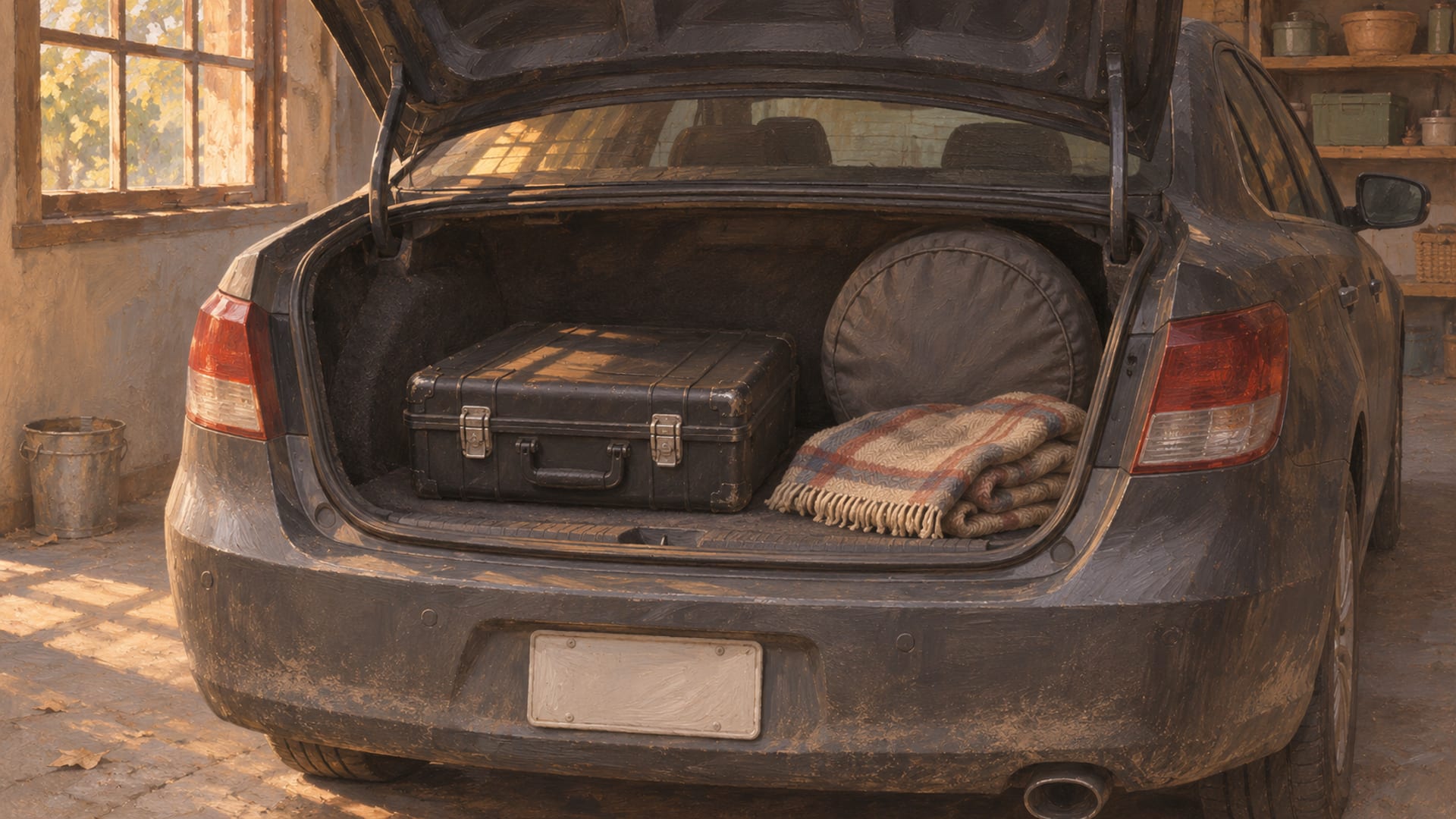
A weapon you take from an enemy or pick up off the street in GTA 6 is a temporary pickup, and dropping it, dying or getting arrested can remove it for good. Put it in your personal vehicle's trunk and it stays with you for the session, but it still doesn't become yours for keeps.
Weapons you buy at Ammu-Nation and gold-marked unique variants count as owned, so you can get them back from an Ammu-Nation weapon locker or your personal vehicle's loadout. Each character carries two sidearms and two longarms at a time, and extra owned weapons wait in the trunk or a locker.
The details below describe the launch build on PS5 and Xbox Series X|S, where GTA 6 became available on November 19, 2026, according to Rockstar's launch announcement. Patches can change storage, limits and unique-weapon behavior, so trust the in-game prompt after an update. For PC, Rockstar has not announced a release date, and the PC countdown tracks the status.
Key Takeaways
Pickups are temporary
A gun taken from an enemy or the street can be lost when you drop it, die or get arrested.
Buy it to own it
Weapons bought at Ammu-Nation and gold-marked unique variants count as owned and can be recovered after death or arrest.
Four slots per character
You carry two sidearms and two longarms, and extra owned weapons wait in the trunk or a weapon locker.
Check the active character
Owned and unique weapons are reported as shared between Jason and Lucia, but temporary pickups may stay with one character.
Does a weapon you find stay yours?
Not by default. A regular weapon you pick up from an enemy or the environment is not permanently owned. It sits in a loadout slot while you use it, and the game can take it back when you drop it, die or get arrested. GTA Playbook and Beebom both describe this split between owned weapons and temporary pickups in their launch-week guides.
That includes guns taken from police cars. Mobalytics lists temporary police-car and enemy pickups alongside the limited loadout, so a stolen sidearm or a rifle lifted from a patrol car follows the same rule as one dropped by a gang member.
Three things change the picture. Buying the weapon at Ammu-Nation makes it owned. A gold-marked unique variant is treated as owned. And stowing a pickup in your personal vehicle keeps it around for the session, though that is a holding place and not a purchase.
The practical habit is simple. If you like a gun you just picked up, find the same model at Ammu-Nation and buy it before you count on it for the next mission. The pickup is a free trial; the purchase is the keeper.
How many weapons can you carry?
The loadout holds two sidearms and two longarms per character. Sidearms are pistols and other compact weapons. Longarms are rifles, shotguns and other shoulder-carried weapons. Melee weapons, explosives and equipment sit in their own categories, so they don't compete for those four slots. GTA Playbook lists the two-and-two limit for launch-build play.
Hold L1 on PS5 or LB on Xbox Series X|S to open the weapon wheel. From there you switch between what you're carrying and see which categories are full.
A found weapon uses one of your current sidearm or longarm slots while you hold it. If both longarm slots are taken and you grab a third rifle, you're choosing which weapon to give up, so it's worth knowing which of your two is the owned one before you swap.
Extra owned weapons don't vanish when your slots fill up. They wait in the trunk of your personal vehicle or in an Ammu-Nation weapon locker, and you bring them back into the loadout when you want them. The next two sections cover both places.
How to stow a found weapon in your personal vehicle
The trunk is where a pickup survives the trip back to your next stop. Your personal vehicle's storage is reached from the rear of the car, and the steps below follow the order the launch-week guides describe. Grubmagnet Gaming's PS5 video, How to Change and Store Weapons in GTA 6, shows the trunk loadout and longarm stowing if you'd rather watch it done.
Stowing a found weapon
Pick up the weapon
Take it from the enemy or the street and look for the gold marker that tags a unique variant.
Reach your personal vehicle
Drive or walk to the car you own, since the trunk belongs to a personal vehicle.
Open the trunk
Approach the rear of the vehicle to open the trunk or vehicle loadout.
Choose the weapon category
Pick the sidearm or longarm category the weapon belongs to.
Select the stow option
Use the loadout or stow option so the weapon goes into the trunk.
Reopen the loadout
Check that the weapon now shows in the list before you drive off.
Once it's in the trunk, the weapon is kept for the session as long as the vehicle stays available. Stowing does not convert a pickup into an owned weapon. If your car is lost or destroyed, treat anything temporary inside it as at risk, and buy or unlock a lasting version of any gun you rely on.
Because the trunk depends on the vehicle, keep track of the car you stash weapons in. The personal vehicles guide covers how personal vehicles work, and the car impound guide is the next stop if yours goes missing.
Where extra weapons go: trunks, lockers and garages
Owned weapons beyond your four slots live in two places. One is the trunk of a personal vehicle. The other is an Ammu-Nation weapon locker, which is where you manage owned weapons and unique variants. GamesRadar's pre-release reporting described personal garages, weapon lockers and loadout customization before launch, and launch-week guides show the lockers in use.
Personal garages may include weapon lockers too. PC Gamer's laptop password guide points to Auntie's Place in La Perle as a spot with vehicle storage and a weapon locker. That's one location, so don't assume another garage has the same setup. Open a garage's menu and look for the locker before you plan around it.
The same goes for stores. Not every Ammu-Nation location is reported to have the same locker setup, so confirm the locker icon or store features on the current Leonida map before you drive across town. The Leonida map page is a good place to plan the route, and the garage page covers personal vehicles and trunk storage in more detail.
If your weapon work leads toward attachments, finishes and the Modify menu, the weapon customization guide picks up there. The focus here is whether a gun stays yours and where it waits.
If you're setting up a base for your loadout, the safehouse customization guide covers what you can set up at one.
What death or arrest removes, and how to get weapons back
Dying or getting arrested can strip a regular picked-up weapon. Storing it in the trunk helps while the vehicle remains available, but it doesn't turn the pickup into an owned weapon. The table below sets the cases side by side.
What stays after death or arrest
| Weapon type | Owned? | Where it waits | After death or arrest |
|---|---|---|---|
| Purchased standard weapon | Yes | Personal vehicle or Ammu-Nation locker | Recoverable |
| Gold-marked unique variant | Yes, per launch reports | Personal vehicle or weapon locker | Recoverable |
| Enemy or street pickup | No | Personal vehicle trunk, for the session | Can be lost |
| Mission-restricted weapon | Depends on the mission | Check vehicle and locker afterward | Depends on the mission |
Purchased weapons and gold-marked unique variants can be recovered from an Ammu-Nation weapon locker or from the personal vehicle loadout. Rotar's video, How to Get Your Guns Back in GTA 6, shows locker recovery and the difference between bought and picked-up guns.
After a death or an arrest, resist the urge to buy a replacement straight away. Open your personal vehicle's trunk, check the current character's loadout, and visit a weapon locker first. If the weapon was owned, it should be waiting in one of them.
If the weapon was a plain pickup, it's gone, and the fix is to buy the standard version. For a gun you really want to keep, that purchase is the only step that makes it yours.
Gold markers and unique weapons
Unique or legendary weapons are named variants with distinctive finishes, attachments or designs. They carry a gold weapon indicator and are saved as owned variants, which is why they come back after death or arrest through a locker or your vehicle loadout.
That makes a gold-marked gun different from an ordinary pickup you happened to like. You don't need to rush it into the trunk to save it. Treat it as owned, and check the locker if it ever goes missing.
Launch-week guides also state that unique weapons can't be modified the way standard purchased weapons can. Their look and attachments come as designed. If you want a customized build, buy the standard weapon and take it through the Modify menu at Ammu-Nation instead.
Because this is a launch-build rule that a patch could change, open the Modify menu on a unique weapon yourself to see what the game offers. Whatever the menu shows is the answer for your version.
The in-game name, finish and gold marker are the details worth noting when you find one. Everything else about a unique variant is for the game to show you.
Do Jason and Lucia share weapons?
Launch-week creator and community reports say Jason and Lucia share access to owned and unique weapons. A gun you bought with one character should be available to the other through the locker, according to those reports.
Temporary pickups, character-specific loadouts and modifications may behave separately. A weapon you picked up and stowed as Jason is not a safe bet to turn up in Lucia's loadout, and an attachment set you built on one character's gun may not carry across.
So, after you switch characters, check the active character's trunk and weapon locker separately before you decide something is missing. That one habit covers most of the "where did my gun go" moments.
The switch to Lucia guide covers how the character swap works, and the Jason vs Lucia customization guide shows where their setups differ.
Missions and chapter changes can move your weapons
Mission restrictions can temporarily replace or hide the weapons you normally carry. That's a game rule for the mission, not a sign you lost your guns. Chapter transitions may also change how weapons appear in the loadout.
When a mission ends, check three places in this order: the weapon locker, the personal vehicle trunk, and the current character's loadout. Do that before you spend money on a replacement. Owned weapons should be sitting in one of those places.
If a mission handed you a weapon, treat it like any other pickup. It may not come with you afterward.
Armor works on its own track, so the body armor guide is the place to check how protection behaves alongside your loadout.
Quick answers
These are the short versions of the questions players search for most on this topic.
Can you keep a gun you took from an NPC?
Only for the session, and only if you stow it in your personal vehicle. It stays a temporary pickup, so buy the standard version at Ammu-Nation to own it.
Can you modify a unique weapon?
Launch-week guides say unique variants can't be modified like standard purchased weapons. Open the Modify menu on yours to see what your version allows.
Is GTA 6 on PC?
GTA 6 launched on PS5 and Xbox Series X|S on November 19, 2026. Rockstar has not announced a PC release date, so follow Rockstar's announcements and the PC countdown for any change.
What if my personal vehicle is destroyed with a pickup inside?
Treat the pickup as lost and buy or unlock a lasting version before you rely on it. Owned weapons come back through a locker.
Your next loadout check
Before your next mission, buy the standard version of the gun you like, open a locker or trunk to see where your owned weapons sit, and note which character you're playing. If you film a loadout setup you're proud of, submit a public post link. For the build side of weapons, the weapon customization guide is the next stop.
Glossary
Tap a term to see what it means.
Weapon wheel. The radial menu, opened with L1 on PS5 or LB on Xbox Series X|S, used to select weapons and equipment.
Loadout. The weapons currently assigned for use.
Sidearm. A pistol or other compact weapon category, with two slots per character.
Longarm. A rifle, shotgun or other shoulder-carried weapon, with two slots per character.
Weapon locker. A storage and management point at Ammu-Nation and some garages for owned weapons and unique variants.
Unique variant. A named, gold-marked version of a standard weapon that is saved as owned.
Personal vehicle. A vehicle you own whose trunk can hold and manage loadout weapons.
Temporary pickup. A weapon taken from an enemy or the world that is not permanently owned.
Related articles
GTA 6 bonus vehicles: how to claim, keep or get rid of them
Claim GTA 6 bonus vehicles from Pause Menu, Store, then pre-order bonus. Ultimate Edition vehicles unlock by chapter. Plan garage space before you claim.
How to get chrome rims in GTA 6
Learn how to get chrome rims in GTA 6: open Wheels at a compatible Mod Shop, check Rim Colors and Rim Style, and compare Anodized and Pro Build routes.
GTA 6 paint colors and finishes: what the Respray menu offers
Check the GTA 6 paint colors your car can use: open Cosmetics, then Respray at a compatible Mod Shop, preview the swatch and read the price before you buy.