GTA 6 paint colors and finishes: what the Respray menu offers
Check the GTA 6 paint colors your car can use: open Cosmetics, then Respray at a compatible Mod Shop, preview the swatch and read the price before you buy.
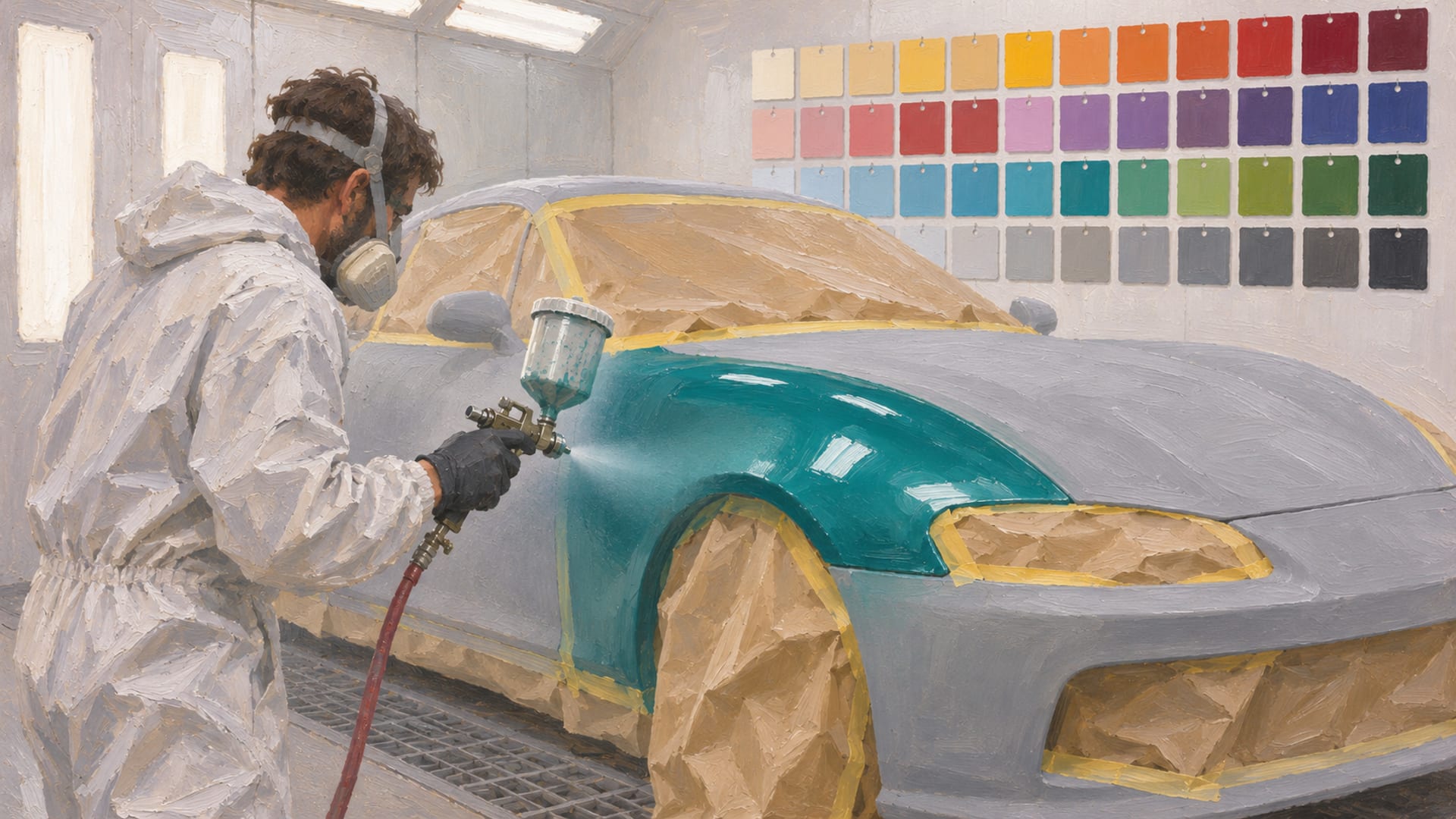
On PS5 and Xbox Series X|S, GTA 6 paint colors live in the Respray menu: drive a compatible vehicle into a Mod Shop, open Cosmetics, then choose Respray. Launch footage and launch guides show two paint types there, Gloss and Solid Metallic, with color filters and named swatches. The menu previews the car and shows a price before you confirm anything.
Before you spend money, decide how detailed the job is. A Pay 'n' Spray handles a basic color change or a repair. A Mod Shop handles detailed paint, custom liveries, bodywork, wheels and interior work, so it is the stop for a build rather than a quick recolor.
What you see depends on your version. Rockstar says GTA 6 launched on November 19, 2026, for PlayStation 5 and Xbox Series X|S, and swatches, finishes and prices can shift with patches, the vehicle, mission context and edition content. If you are hunting for chrome, pearl or matte, a quick look through your own Respray menu tells you whether your car lists one.
Key Takeaways
Where to paint
Open Cosmetics, then Respray, at a compatible Mod Shop, and preview the swatch before you confirm.
Finishes shown at launch
The launch Respray menu separates Gloss from Solid Metallic, with color filters such as Recommended, Black, Gray, White, Red and Blue.
Chrome, pearl and matte
Open the Respray menu on your exact vehicle and look for those names; add one to a build only if it is listed there.
Price
Read the number shown for your vehicle, swatch and finish right before you buy, because it can change with the car and the job.
The colors and swatches the Respray menu shows
The Respray menu sorts paint into color groups. One launch capture covered by AllThings How shows the filters Recommended, Black, Gray, White, Red and Blue. A launch guide from Nerd's Chalk lists Gray, White, Red, Blue, Green, Pink and Purple. Groups and swatches can vary with the vehicle, so open the menu on your own car to see its set.
Individual swatches carry names. Launch coverage lists Sea Wash, Seafoam, Surfer, Guilty Red, London, Paprika and Berry, and Leonida Interactive's Respray write-up walks through several of them from Xbox footage. Berry Gloss shows up in the early Ganado mission walkthrough from Nerd's Chalk.
The menu is a preview tool. You move through the swatches, the car updates on screen, and nothing is charged until you confirm. That is the habit to build: scroll the whole group, try a second finish on the same swatch, and only then buy.
Custom liveries are a separate Cosmetics entry. The launch menus list Customizable Livery and Curated Livery next to Respray, not inside it, so a stripe or a graphic is a different choice from the body color. For the wider paint-job picture, including liveries, read GTA 6 paint jobs.
Gloss and Solid Metallic
The two finish types in the launch Respray menu are Gloss and Solid Metallic, according to Leonida Interactive and the guides above. Same swatch name, different finish: the menu lets you switch between the finish types visible for your vehicle, so you can compare them on the car itself.
Gloss is the plain, shiny paint. In launch coverage it is also where the discounts show up: during the early "Respray the Ganado" mission, Gloss choices in the Recommended group were free. Solid Metallic is the second type, and in the capture Leonida Interactive describes, London Solid Metallic was priced at $742.
Finishes in the launch Respray menu
| Finish | What launch coverage shows | Your check |
|---|---|---|
| Gloss | A paint type in Respray; free Gloss choices in the Recommended group during the Ganado mission; Paprika Gloss at $0 with a crossed-out $400 in one capture | Switch to it on your swatch and read the price |
| Solid Metallic | A paint type in Respray; London Solid Metallic at $742 in one capture | Compare it against Gloss on the same swatch |
| Matte | A name to look for in the finish list on your vehicle | Look in your menu, then preview before buying |
| Pearl | A name to look for in the finish list on your vehicle | Look in your menu, then preview before buying |
| Chrome | A name to look for in the finish list; wheel chrome has its own guide | Look in your menu, then preview before buying |
Chrome, pearl and matte: the menu check
Chrome, pearl and matte are the finishes players ask about first. The launch Respray menu shows Gloss and Solid Metallic. A chrome, pearl or matte entry belongs on a build only if the current menu on your exact vehicle lists it, and the menu can change with a patch, so the check is yours to make in your own game.
Here is the check. Take the car into a compatible Mod Shop, open Cosmetics, then Respray, and step through the finish types it offers for that vehicle. If a finish named Matte, Pearl, Chrome or anything else appears, preview it on the car in daylight and under the shop lighting, then read the price. If it is not in the menu for that car, a livery or a different swatch is your route to a similar look.
Chrome on wheels is its own topic. Wheels have their own tab in the Mod Shop, separate from Cosmetics, so the GTA 6 chrome rims guide is the place for wheel chrome, and wheels and rims covers the wheel menu itself.
The same habit applies to anything else you might want, such as a two-tone job. JustBOZ posted "How To Get A Two Tone Paint Job In GTA 6 - Full Guide" on November 23, 2026, as a creator demonstration of a two-tone approach and the customization flow around it. Watch it, then confirm in your own Respray menu which controls your car shows.
How to preview and buy paint
The sequence below follows the launch guides for PS5 and Xbox. Mod Shop menu tabs at launch, as listed by AllThings How, are Pro Builds, Cosmetics, Bodywork, Performance, Wheels and Interior, and Respray sits under Cosmetics.
Respray a vehicle, step by step
Open the pause map
Choose the Vehicles category, as GTA Boss describes it.
Pick a shop
Choose a compatible Mod Shop for a detailed build, or a Pay 'n' Spray for a quick respray.
Drive in and repair
If the menu asks for a repair first, do that before painting.
Open Cosmetics, then Respray
Respray lives under Cosmetics, next to the livery options.
Choose a group and a finish
Pick a color group, then switch between the finish types shown for your vehicle.
Preview and read the price
Check the car on screen and the number shown, and confirm only when both are right.
The Leonida map page covers the game world around the shops, which helps when you are planning a drive and a screenshot with the fresh paint. For a look at the whole flow in action, Imack Studios uploaded "HOW TO REPAIR AND CUSTOMIZE YOUR CAR IN GTA 6! (LOCATION)" on November 18, 2026. It shows Coastal Auto Care, vehicle repair, Respray, custom liveries, bodywork, performance, wheels and interior customization.
Pay 'n' Spray or a Mod Shop
The two stops do different jobs. How to Video Game reports, citing an interview with Rob Nelson, that a Pay 'n' Spray is for a basic color change or repair, while tuning shops handle elaborate paint jobs. GTA Boss draws the same line and lists a Mod Shop as the place for detailed customization.
So, the question to ask is how much you want to change. A fast recolor on a car you are about to drive anyway suits a Pay 'n' Spray. A paint choice that has to match a livery, new wheels and an interior belongs in a Mod Shop, where you can work through the tabs in one visit. The Pay 'n' Spray guide covers quick resprays, repairs and how a respray helps you lose a police search.
Some named shops come with Ultimate Edition content. Rockstar Support lists the Ganado Retro Build, Rideout Customs and a named Mod Shop among the content in that edition, in its platforms, editions and versions article. If you are wondering what an edition vehicle does for your garage, the bonus vehicles guide takes that up.
What GTA 6 paint costs
There is no single price list to memorize. GTA Boss and AllThings How both show prices that vary by vehicle and by job, and the numbers in launch coverage come from specific cars and specific moments.
Here are the examples that came out of launch captures. Leonida Interactive reports London Gloss as free in the situation shown and London Solid Metallic at $742. In the same write-up, Paprika Gloss appeared at $0 with a crossed-out $400 price. During the early Ganado respray mission, Gloss choices in the Recommended group were free.
Read those as snapshots of one moment. The number you see in your game is the one that counts, and it is displayed before you confirm. Read it for the exact swatch and the exact finish, since moving from Gloss to Solid Metallic on the same color can change it, as the London example shows. Patches can change categories, swatches and prices, and shop access can depend on your edition. Open the live menu on your platform and version before you plan a build around a number from any guide.
Color pairings for stated looks
These are style picks, editorial suggestions for a look you have in mind, and they are not a ranking of what players choose. The pairings use swatches and finishes the launch menu showed.
- Retro pickup: Paprika Gloss or Guilty Red Gloss with a contrasting cream, white or dark livery.
- Coastal cruiser: Seafoam Gloss, Sea Wash Gloss or a light blue, with bright trim and a clean interior.
- Executive sedan: Black Gloss or Gray Solid Metallic, with restrained wheels and a dark interior.
- Street tuner: purple, pink or blue Gloss, with a contrasting livery and darker wheels.
- Off-road truck: gray or black Solid Metallic, with practical bodywork and a contrasting accent color.
If your menu offers a matte swatch on the car you are building, an understated off-road, tuner or track-inspired look is where it would fit. Preview it in daylight and in the shop lighting before buying.
Want to see where these pairings go next? The garage is where car builds get organized, and GTA 6 car customization maps the other Mod Shop options around paint. If you are lighting the build up, GTA 6 underglow covers the glow that sits under the body color.
Quick answers about GTA 6 paint
Four short answers for the moment you are standing in the shop.
Where do you change a car's color in GTA 6?
Open the pause map, choose the Vehicles category and pick a compatible Mod Shop or a Pay 'n' Spray. In a Mod Shop, open Cosmetics, then Respray. A Pay 'n' Spray covers the basic recolor and repair.
Can you preview paint before buying?
The launch Respray menu previews the swatch on the vehicle and displays the price, so you can compare Gloss and Solid Metallic before confirming. Check both on the car you are customizing.
Can every vehicle use the same paint options?
Launch coverage describes menus and prices that belong to specific vehicles and situations. Confirm the finish and livery choices on the exact vehicle you are customizing, since the list can differ from the car a guide used.
Do you need Ultimate Edition for every Mod Shop?
Rockstar Support lists named Mod Shops as Ultimate Edition content. Open the pause map on your own copy and look at the Vehicles category to see which shops it offers you.
Paint choices for PC players
Rockstar has not announced a PC release date, so PC paint options depend on what that version eventually offers. The PC countdown tracks the status. While you wait, the mod rules cover the safe habits for single-player modding.
Painted something you are proud of? Send a public link to the build through Submit, and keep the live menu in mind next time a patch lands, since the swatch you love today may sit beside new ones tomorrow.
Glossary
Tap a term to see what it means.
Respray. The color-changing service at a Pay 'n' Spray and in the Cosmetics tab of a Mod Shop.
Gloss. A paint type shown in the launch Respray menu.
Solid Metallic. A second paint type shown in the launch Respray menu, priced separately from Gloss in the London example.
Cosmetics. A Mod Shop tab that holds Respray and the livery options.
Customizable Livery. A separate Cosmetics entry for custom designs, not part of Respray.
Curated Livery. A separate livery category in Cosmetics.
Mod Shop. A shop for detailed vehicle customization, including paint, bodywork, wheels and interior.
Pay 'n' Spray. A shop for a basic respray or a repair.
Related articles
GTA 6 bonus vehicles: how to claim, keep or get rid of them
Claim GTA 6 bonus vehicles from Pause Menu, Store, then pre-order bonus. Ultimate Edition vehicles unlock by chapter. Plan garage space before you claim.
How to get chrome rims in GTA 6
Learn how to get chrome rims in GTA 6: open Wheels at a compatible Mod Shop, check Rim Colors and Rim Style, and compare Anodized and Pro Build routes.
Can you auto drive in GTA 6? How to turn it on
Can you auto drive in GTA 6? Yes, on PS5 and Xbox Series X|S. Set a waypoint, enter a vehicle, open Cinematic Camera and hold Circle or B at the prompt.