Body armor in GTA 6: where to buy it, and can you armor a car?
Buy body armor at Ammu-Nation in GTA 6, equip it with the Items loadout wheel on PS5 or Xbox, and see what launch-week mod shop menus show for car armor.
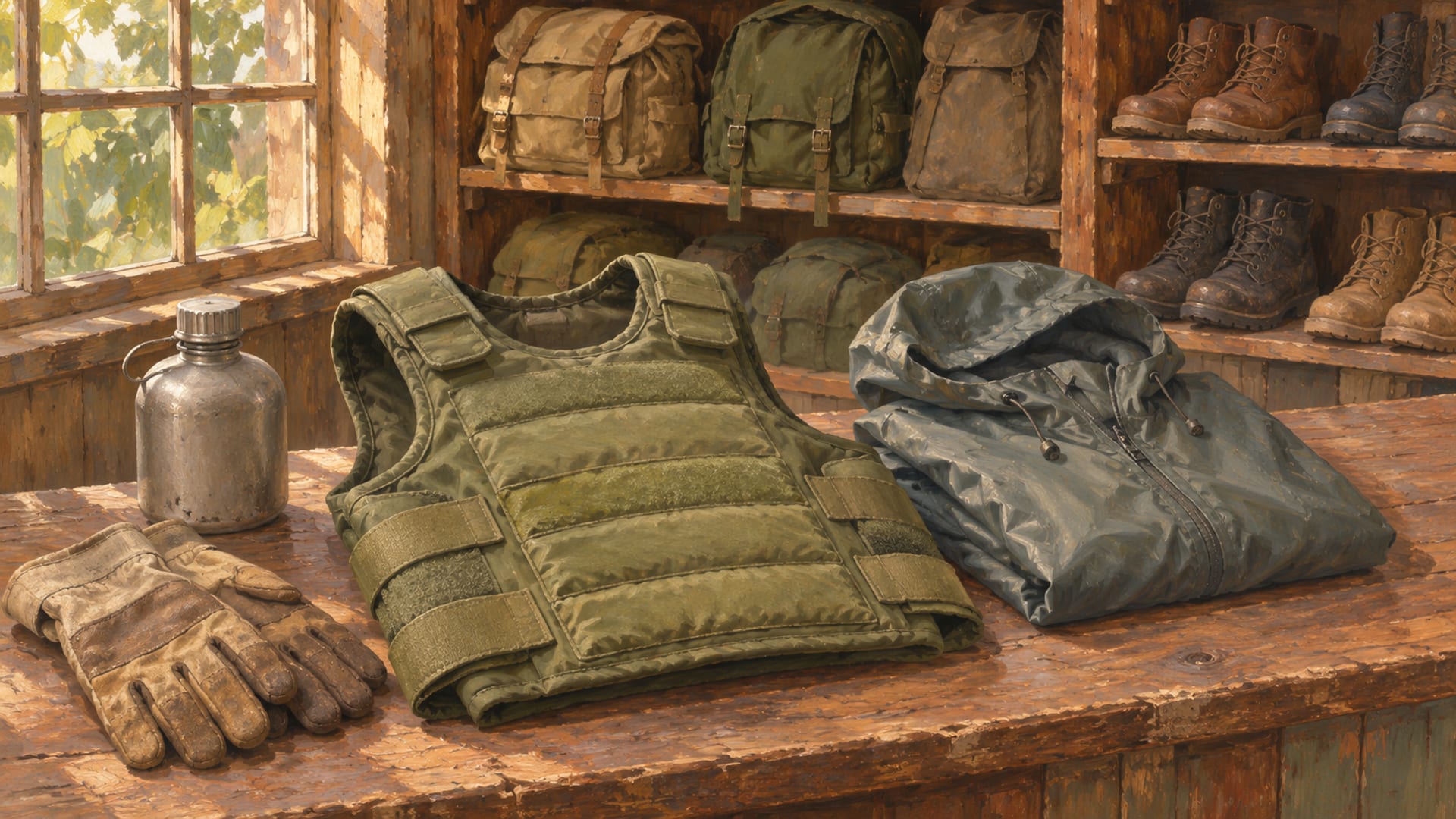
Body armor for your character is sold at Ammu-Nation in GTA 6, under AMMO & EQUIPMENT and then Equipment, for roughly $225 to $250 according to launch-week guides. Check the price printed beside the vest before you pay.
Buying a vest does not put it on. On PS5, hold L1, press R1 for Items, select Body Armor and press X. On Xbox, hold LB, press RB, select Body Armor and press A. The same press takes it off again, and a blue bar above your health bar shows how much armor you have left.
Cars are a different story. A vest sent to the trunk is a spare for your character, not an upgrade for the car, and the launch mod shop menus have no vehicle-armor install. GTA 6 launched on November 19, 2026 for PS5 and Xbox Series X|S, and the prices and steps below are from launch-week guides dated November 20 to 24.
Key Takeaways
Where to buy
Ammu-Nation sells body armor under AMMO & EQUIPMENT, then Equipment, and the shop's own price tag is the number to trust.
Equip it yourself
Buying a vest does not equip it, so open the Items tab of the loadout wheel and select Body Armor.
Trunk means spare
Buy and Send to Trunk stores a vest for your character and does not armor the car.
Car armor
Launch-week mod shop menus list Pro Builds, Cosmetics, Bodywork, Performance, Wheels and Interior, so read your own car's stat card before you plan around armor.
Where to buy body armor
Ammu-Nation is the shop for it. Open the map, find an Ammu-Nation icon, walk in and open the AMMO & EQUIPMENT menu, then choose Equipment. Body Armor sits in that list. AllThingsHow's PS5 guide, updated November 24, 2026, names as the first early shop Chuck's Tackle & Shot in Key Lento, so that is a good stop if you are early in the story and have not found another store yet.
You do not need a special build or a mod shop for this. Armor is character equipment, the same family as weapons and ammo, which is why it lives in the gun shop and not in the garage. If you want to change the weapons you carry into the fight, the weapon customization guide covers that side of the counter.
Buy and Equip or Buy and Send to Trunk
When you pick the vest, the shop gives you two choices. Games.GG's Spanish-language guide, updated November 21, 2026, names them Buy and Equip and Buy and Send to Trunk. The first is for a vest you want to use right now. The second is for a spare you want waiting in your vehicle.
In YourSixGaming's video on buying armor and sending it to a vehicle, uploaded November 22, 2026, the creator walks through the trunk option and says it stores a vest for the character rather than armoring the car. Read the prompt on your own screen before you confirm, since shop wording can shift with patches.
From the map to a vest in your hands
Find the shop
Open the map and pick an Ammu-Nation icon.
Open the menu
Walk in and choose AMMO & EQUIPMENT.
Pick the category
Select Equipment.
Choose the vest
Select Body Armor and read the price shown beside it.
Decide where it goes
Pick Buy and Equip to use it now, or Buy and Send to Trunk for a spare.
What body armor costs
Launch-week guides give two prices. AllThingsHow records $225 on a PS5 launch build, in an update dated November 24, 2026. GTA6.house, also updated November 24, lists $250 as the starting price and says some cosmetic designs cost more.
Either number may be right for the shop you are standing in, and prices can change with a patch. The practical move is simple: read the price beside the vest, and keep a little cash in hand for a replacement, since a worn-out vest is replaced, not refilled.
Reports describe a single body armor item with different colors or designs, not a ladder of light, heavy and super-heavy vests. If you see more than one option in your shop, the price tag and the item name tell you what you are buying.
How to equip and remove body armor on PS5 and Xbox
Equipping goes through the loadout wheel. Hold the left bumper, press the right bumper to switch to the Items tab, highlight Body Armor and confirm. According to AllThingsHow and Games.GG, both on launch-build reports from November 21 to 24, 2026, the route matches on both consoles, with only the button names changing.
Body armor controls by console
| Step | PS5 | Xbox Series X|S |
|---|---|---|
| Open the loadout wheel | Hold L1 | Hold LB |
| Switch to Items | Press R1 | Press RB |
| Pick the vest | Select Body Armor | Select Body Armor |
| Equip it | Press X | Press A |
| Take it off | Select the active armor and press X again | Select the active armor and press A again |
The remove step comes from AllThingsHow's PS5 report, which says the same confirm button switches an active vest off. If you wear a parachute, the GTA6.house Spanish guide reports that the two can share a slot, and that R2 on PS5 or RT on Xbox cycles between them. If your wheel shows only one item in that slot, try that cycle button before you assume the vest is gone.
Check the blue bar before you move
The reliable sign that the vest is on is the blue armor bar above your health bar. GTA6.house reports that it soaks up gunfire and explosive damage until it runs out. Glance at it before you walk into a fight, not after the first few rounds land.
A quick habit helps. After you buy, open the wheel, equip, and look at the bar. If it is blue and full, you are set. If the bar is missing, the vest was bought but not selected, so open the wheel again.
Replacing a depleted vest
When the blue bar empties, the vest has done its job. Launch-week reports from YourSixGaming and GTA6.house say a depleted vest has to be replaced with another one and is not repaired or refilled. In practice, that means a second purchase at Ammu-Nation, or a spare you already sent to the trunk.
This is where Buy and Send to Trunk earns its place. Keep a spare in your own vehicle and you can swap in a fresh vest without a trip back to the shop. Open the loadout wheel, select Body Armor and confirm, the same way you did the first time.
Can you armor a car?
The launch mod shop menus have no selectable vehicle-armor upgrade, according to launch-week guides. GTA Vice Guides, updated November 20, 2026, reports six mod shop menus: Pro Builds, Cosmetics, Bodywork, Performance, Wheels and Interior. In YourSixGaming's video from November 22, the creator says GTA 6 does not offer a vehicle-armor upgrade.
That matches what a trunk vest actually is. It is a spare for the person, kept in a convenient place. It does not change how much damage the car can take, and it does not show up on the vehicle's stat card.
GameMapa's upgrade price list, published November 20, 2026, lists prices for engine, nitrous, bumper and body-kit upgrades. If a patch adds a car armor option, your shop menu is where it would appear, with its price.
Bodywork is not armor
A heavy bumper or a rugged body kit changes how a car looks, but reinforced-looking parts are not armor. The shop's stat card for your car tells you what a part actually changes, so read it before you spend.
Mod shops also specialize by vehicle type, so the menu you see at a muscle car shop may differ from the one at a motorcycle shop. Edition, story progress and which vehicle you drive in can change what appears too. For the shop side of that story, the performance upgrades guide covers engine, brakes, suspension, transmission and turbo.
Bulletproof tires and what to check at the mod shop
Armor for the person and protection for the car are separate questions, and tires are the part of the car players ask about most. The GTA 6 tires guide covers the tire menu and bulletproof tire coverage, including which vehicles are supported.
When you open a mod shop with the car you own, work through the menu in order. Look at Performance for engine and brakes, Wheels for tires and rims, and Bodywork for the shell. Then open the stat card for the car and read what each part changes.
If you build cars for screenshots or clips, the GTA 6 car customization overview pairs well with this one, and the garage shows creator builds you can compare against your own.
Body armor questions players ask
Short answers to the questions that come up after the first purchase.
Does body armor work on PC?
Rockstar's GTA VI page lists PS5 and Xbox Series X|S, with a launch date of November 19, 2026. Rockstar has not announced a PC release date. The PC countdown page tracks the current status, and the mod rules page covers safe habits for mods while you wait.
Why is the vest missing from the shop?
Availability can depend on the story. AllThingsHow reports that the item was unavailable during one early gun-purchase objective on its PS5 launch build. If the vest is not in the Equipment list, check your current objective, then try again after it moves on.
Are there different armor levels?
Reports from GTA6.house describe one armor item with cosmetic variations, not separate classes. If your shop shows more than one, compare the names and prices on the screen. Rockstar can change item lists with updates, so read the menu in front of you.
What if the armor is shared with a parachute?
GTA6.house's Spanish guide reports that a parachute can share the armor slot. Press R2 on PS5 or RT on Xbox to cycle between the two, then select the vest.
Weapons, winches and fuel to read next
Armor covers the character side. For the rest of the loadout, the guide to keeping weapons you find explains how found weapons carry over, and the weapon customization guide covers modifications at the counter. On the vehicle side, the winch guide and the gas and refueling guide cover two more things your car does in the field.
Prices, prompts, shop menus and story-gated availability can change with patches, so confirm each one in your installed game. YourSixGaming also has a second clip, How to Buy & Equip Body Armor in GTA 6, which shows the Ammu-Nation purchase and the loadout wheel from the player's side.
Once the vest is equipped and the blue bar is showing, head back to the road. When a build, a firefight screenshot or a clip comes out of it, you can submit a public post link for the showcase.
Glossary
Tap a term to see what it means.
Body Armor. Character equipment sold at Ammu-Nation that absorbs damage before your health does.
Loadout wheel. The radial menu you open with L1 on PS5 or LB on Xbox to pick weapons and equipment.
Items. The loadout wheel tab, reached with R1 or RB, that holds equipment such as body armor.
Buy and Send to Trunk. The shop option that stores a spare vest in your vehicle for the character to use.
Armor bar. The blue bar above the health bar that shows how much protection a vest has left.
Mod shop. A vehicle customization and repair location with menus such as Performance, Wheels and Bodywork.
Stat card. The panel in a mod shop that shows what a part changes on the car you own.
Bulletproof tires. A tire option, covered in the tires guide, that keeps tires from being shot out on supported vehicles.
Related articles
GTA 6 bonus vehicles: how to claim, keep or get rid of them
Claim GTA 6 bonus vehicles from Pause Menu, Store, then pre-order bonus. Ultimate Edition vehicles unlock by chapter. Plan garage space before you claim.
How to get chrome rims in GTA 6
Learn how to get chrome rims in GTA 6: open Wheels at a compatible Mod Shop, check Rim Colors and Rim Style, and compare Anodized and Pro Build routes.
GTA 6 paint colors and finishes: what the Respray menu offers
Check the GTA 6 paint colors your car can use: open Cosmetics, then Respray at a compatible Mod Shop, preview the swatch and read the price before you buy.