GTA 6 paint jobs: colors, finishes and how to apply them
GTA 6 paint jobs: Pay 'n' Spray covers a basic respray. A Mod Shop adds paint types, liveries and plates, and some shops are Ultimate Edition content.
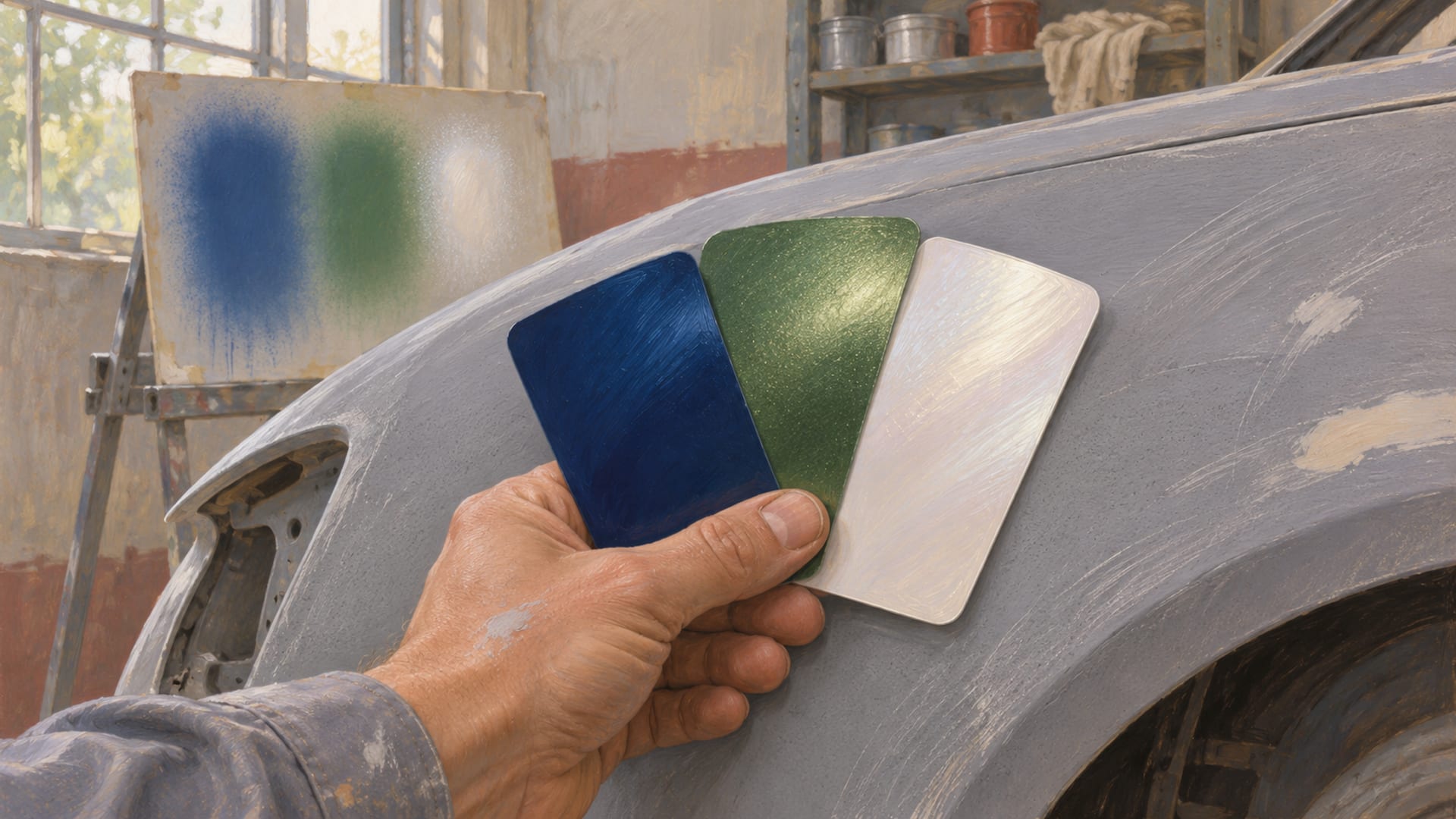
A Pay 'n' Spray handles a quick respray in GTA 6, and a Mod Shop handles deeper paint work. In a Mod Shop you open Cosmetics, choose Respray, switch between paint types, preview each swatch on your car, and select Buy once you like it.
Launch footage shows two finishes by name, Gloss and Solid Metallic, with swatches such as Berry, Paprika and London and a row of color filters. Liveries, decals and plates sit in the same Cosmetics tab, so the whole look gets built in one visit.
The menu names below come from launch-day footage on PS5 and Xbox Series X|S, the platforms Rockstar lists for the November 19, 2026 launch. Prices and shop options change with the vehicle, the mission, the edition and later patches, so read the price beside the swatch before you buy.
Key Takeaways
Where to start
Use a Pay 'n' Spray for a basic respray and a Mod Shop for detailed paint work, liveries and plates.
The menu path
In a Mod Shop, open Cosmetics, then Respray, then switch paint types and preview each swatch before you buy.
Finishes seen in launch footage
Gloss and Solid Metallic are shown by name, and your own Respray menu may list more.
Prices
Costs in launch footage ranged from free to $742 depending on the vehicle, shop and mission, so the number beside the swatch is the one that counts.
Paint types and colors shown at launch
Launch footage dated November 18, 2026 shows the Respray menu at the Coastal Auto Care Mod Shop, as written up by Nerd's Chalk. The footage shows color filters named Recommended, Black, Gray, White, Red, Blue, Green, Pink and Purple. Pick a group to narrow the swatches instead of scrolling through everything at once.
Two finishes appear by name. Gloss is the shiny finish, and the early mission at Coastal Auto Care applies a Berry purple Gloss to the Ganado. Solid Metallic is shown as its own paint type, separate from Gloss. Gloss swatches named in footage include Berry, Paprika and London.
The same swatch can sit in two paint types at different prices. Leonida Interactive, an independent fan reference built on Xbox footage dated November 19, shows London as a free Gloss and as a $742 Solid Metallic. That is a good reason to switch paint types before you settle on a color, because the finish changes the price and the look of the same name.
Treat this as what launch footage shows, not as a full inventory. Colors, swatch names and finishes can differ by vehicle and shop, and patches can change them.
Chrome, Matte, Pearlescent and Satin
Players coming from GTA 5 ask about Chrome, Matte, Pearlescent, Satin and Worn finishes. Those names come from the older game, and the GTA 6 launch footage shows Gloss and Solid Metallic by name.
So, when one of those finishes matters to your build, open the Respray menu on your own copy and read the finish name shown for your vehicle and shop. If it is listed there, you can preview it and buy it. If it is not, pick the closest Gloss or Solid Metallic swatch and preview it on the car.
Keep GTA 5 forum posts in perspective too. A thread about GTA 5 finishes explains how that game works, not what GTA 6 offers. The menu on your own screen in GTA 6 is what counts.
Pay 'n' Spray or Mod Shop
A Pay 'n' Spray is the quick option. GamesRadar+ describes launch footage in which a Pay 'n' Spray offers a basic respray and can clear vehicle heat when police do not see the vehicle enter. That heat behavior is a gameplay observation from launch footage, and a patch could change it.
A Mod Shop is the detailed option. It adds the Cosmetics tab with Respray, paint types, previews with prices, liveries, decals and plates. Mod Shops can also carry a specialty marker, and Kingy shows creator footage in which a shop card names the shop type and what it focuses on. Check that marker for the vehicle you drive in, since specialist shops may offer different parts and cosmetics by vehicle type.
Pay 'n' Spray and Mod Shop compared
| Choice | Where | What launch footage shows |
|---|---|---|
| Basic respray | Pay 'n' Spray | A quick paint change that can clear vehicle heat if police do not see the vehicle enter |
| Detailed respray | Mod Shop, Cosmetics, Respray | Multiple colors and paint types with a preview and a price |
| Liveries | Mod Shop, Cosmetics | Customizable liveries and curated liveries |
| Specialist styling | Mod Shop with a specialty marker | Shop-specific parts and cosmetics that may differ by vehicle type |
How to apply a paint job at a Mod Shop
The steps below follow the Cosmetics path shown in launch footage. Menu labels and button prompts can change after patches, so trust the labels on your own screen if they differ.
The map index lists Mod Shops under Vehicles, then Mod Shops, so you can find one you have discovered and drive in with the car you want to build. Our Mod Shop locations guide and the Leonida map are good places to start looking.
Apply a paint job at a Mod Shop
Find a shop
Open the map index, check the Mod Shop list and drive in with the vehicle you want to build.
Open Cosmetics
The tab holds Respray, Customizable Liveries, Curated Liveries and Plates in launch footage.
Choose Respray
Switch between the available paint types and use the color filters to narrow the swatches.
Read the price
The selected swatch shows its finish, its price, any discount and a preview on the vehicle.
Select Buy
Previewing and buying are separate actions in launch footage.
Check the rest of Cosmetics
Look at liveries and plates before you leave, then keep the vehicle.
The preview step is where most of the work happens. Rotate through a few swatches in different paint types, because the same color looks different in Gloss and in Solid Metallic. Only after that, confirm the purchase.
If you are building toward a specific look, start with the color filter closest to it, then try the neighboring groups. A deep red might sit between the Red and Purple groups, and a dark gray can read as Black or Gray depending on the swatch. The filters group swatches by color, so switching between them is a quick way to compare options before you select Buy.
It also helps to decide the finish before the color. A glossy Berry and a Solid Metallic London tell different stories on the same body, so pick the feel you want first, then find the swatch that delivers it in that paint type.
Liveries, decals and plates
Liveries sit under Cosmetics beside Respray. Launch footage shows both customizable liveries and curated liveries, and Nerd's Chalk lists plates in the same tab. GamesRadar+ also mentions decals in the Cosmetics options.
A livery is a vehicle-specific graphic, decal or pattern that goes on top of the paint. Because liveries belong to specific vehicles, the options on your screen depend on what you drove into the shop.
Some liveries may not suit every finish. Preview the livery and the paint together before you confirm the purchase, and change the base color if the two fight each other.
Plates are the small finishing touch, and they sit with the same Cosmetics options. If you are building a car for a clip or a screenshot, our photo mode guide covers how to frame it once the paint is done.
What a paint job costs
Paint prices in GTA 6 vary, so there is no single rate to quote. Launch footage does show a set of examples, each tied to a specific vehicle, shop or mission, and they are worth reading together.
Berry purple Gloss is applied free during the Fix Your Car mission at Coastal Auto Care, as shown in Nerd's Chalk's launch footage. London Gloss appears as free in one launch clip, while London Solid Metallic shows at $742 in the Xbox footage described by Leonida Interactive. The same footage shows Paprika Gloss with a crossed-out $400 price and a free offer, and a $185 Restore Finish option.
Those numbers describe what appeared in that footage. They are not a universal rate card, and they can differ with the vehicle, the shop, the mission and the edition. A discount or free offer tied to a mission may not appear in a regular visit.
The practical habit is simple. Preview the swatch, read the price shown beside it, and compare it with the same color in another paint type before you press Buy.
Ultimate Edition shops and builds
Rockstar's editions page lists One-Eyed Willie's Mod Shop, Rideout Customs and the Ganado Retro Build as Ultimate Edition content. That means some shops and builds you may see mentioned online depend on which edition you own.
This fan site shares its name with the in-game One-Eyed Willie's Mod Shop, but it is an unofficial fan community and has no link to Rockstar or the shop. For the ownership details of the shop and the edition, our One-Eyed Willie's Ultimate Edition guide and the guide to the in-game One-Eyed Willie's Mod Shop go deeper.
Rockstar's page names these shops, and their paint options and prices show in the menu itself. If you own the Ultimate Edition, open those shops and read the Respray menu the same way you would at any other Mod Shop.
What can change after launch
Paint menus, swatch names, prices, discounts and mission freebies can change with patches or new content. So can Mod Shop inventories, specialties, edition-linked shops and builds, and the way a respray affects vehicle heat.
Story progress can also matter for customization, and some examples above come from early missions. If a color, a finish or a price on your screen differs from what you read here, your screen wins. A difference after an update is normal, so recheck the menu when a patch lands.
Rockstar's game page lists PlayStation 5 and Xbox Series X|S for launch. Follow Rockstar's platform announcements before you plan around a PC version, and keep an eye on the PC countdown page for status updates.
Creator videos to see paint and builds
Two creators covered GTA 6 car customization before launch, and their videos are a place to see how modified cars look. BlackPanthaa's "GTA 6's Car Customization Looks INCREDIBLE!" was uploaded on September 2, 2026. TmarTn2's "GTA 6 Racing, Car Customization & Vehicle Details" went up on August 30, 2026.
Both are pre-launch videos, so use them for visual ideas rather than as a guide to the final menu or prices. For the finished launch menu, the Cosmetics and Respray screens on your own console are the reference.
If you are weighing the wider customization menu, our GTA 6 car customization overview covers paint, wheels and performance together, and the wheels and rims guide picks up where paint leaves off.
Paint jobs FAQ
Where do you change a car's paint in GTA 6? Use a Pay 'n' Spray for a basic respray, or drive into a Mod Shop and open Cosmetics, then Respray for paint types, previews and prices. The Mod Shop is where launch footage shows Gloss and Solid Metallic.
Are GTA 6 paint jobs free? Some were free in launch footage, such as Berry purple Gloss during the Fix Your Car mission and London Gloss in one clip. Other options cost money, including a $742 Solid Metallic example, so read the price beside the swatch.
Do all Mod Shops offer the same colors? Check it shop by shop. Shop specialties and vehicle types can change what you see, so check the specialty marker and the options displayed for your car.
Are Matte, Chrome and Pearlescent in GTA 6? Launch footage shows Gloss and Solid Metallic by name. Check the finish names in your current Respray menu before you plan a build around Matte, Chrome or Pearlescent.
Can a paint job clear vehicle heat? In launch footage, a Pay 'n' Spray can clear vehicle heat when police do not see the vehicle enter. That behavior can change with patches.
Does the Ultimate Edition include special Mod Shop content? Rockstar's editions page lists One-Eyed Willie's Mod Shop, Rideout Customs and the Ganado Retro Build as Ultimate Edition content. Read the Respray menu in those shops for paint colors and prices.
Is GTA 6 available on PC? Rockstar's game page lists PlayStation 5 and Xbox Series X|S. Follow Rockstar's platform announcements for any PC news.
Next step for your build
Once your paint is on, show it off. Send a public link to your finished car through the submit page, and see how other players are styling theirs in the garage. Check the mod rules before you plan anything for a PC version later.
Glossary
Tap a term to see what it means.
Respray. A change of a vehicle's paint.
Gloss. A shiny paint finish shown by name in launch footage.
Solid Metallic. A paint finish shown as a separate type from Gloss in launch footage.
Livery. A vehicle-specific graphic, decal or pattern applied over the paint.
Mod Shop. A customization workshop with paint, liveries, plates and other vehicle menus.
Pay 'n' Spray. A location for repairs and basic resprays.
Specialty shop. A Mod Shop with a marker for vehicle-type-specific parts or cosmetics.
Cosmetics. The Mod Shop tab that holds Respray, liveries and plates.
Related articles
Radio and music in GTA 6: changing stations and custom tracks
Radio and music in GTA 6: hold Left on the D-pad, pick a station with L1/R1 or LB/RB, and release Left. Here is how to turn it off and listen on foot.
How to switch between Jason and Lucia in GTA 6
How to switch between Jason and Lucia in GTA 6: hold D-pad Right, then press R1 on PS5 or RB on Xbox after Coffee Break. Why a switch may be greyed out.
Customizing motorcycles and boats in GTA 6: shops and options
Which GTA 6 shops work on bikes and boats, which edition includes the Dinka Enduro and Shitzu Squalo, and where boat upgrades stand at launch.