Can you upgrade brakes in GTA 6? Mod shops and calipers
Can you upgrade brakes in GTA 6? See what the mod shop menus offer, what brake calipers change, and which PS5 and Xbox buttons brake and handbrake.
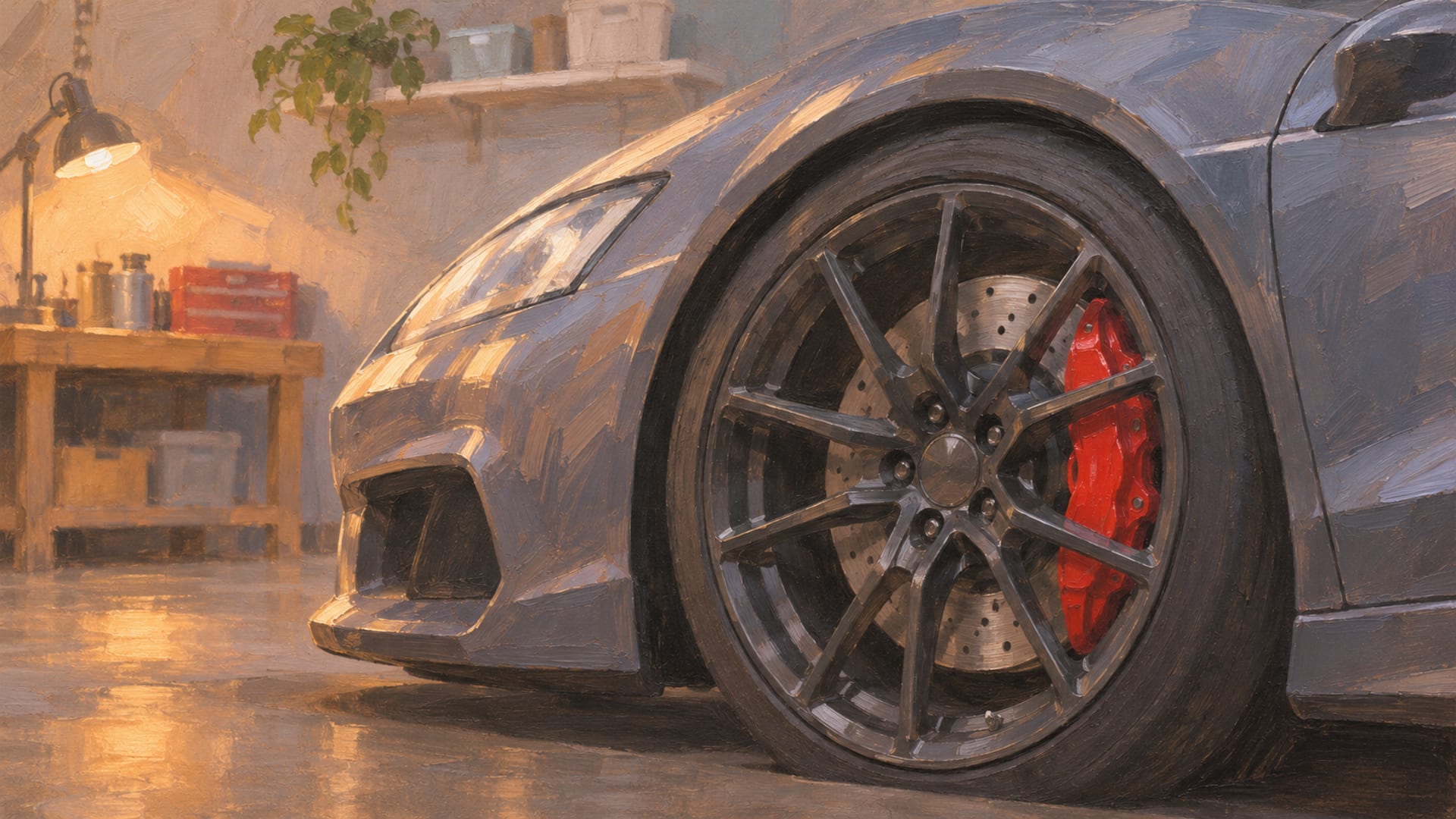
On PS5 and Xbox Series X|S, brake calipers are a looks change at the GTA 6 mod shop, and the launch menus have no separate brake performance part, level or price. As of November 26, 2026, the launch-week shop menus players describe list engine, induction, transmission, turbo, nitrous, wheels, tires, suspension and cosmetic options.
The place to check is the map. Open it, choose Vehicles, then Mod Shops, drive to a shop, repair the vehicle if the shop asks for it, and open the Performance and Wheels tabs. The preview shows what a part changes before you pay, so you can see for yourself whether your vehicle has anything brake related to buy.
If you keep overshooting corners, the parts worth testing are the ones in front of you: tires, wheels and suspension, plus your own braking habits. The default brake is L2 on PS5 and LT on Xbox, and the handbrake is Cross on PS5 and A on Xbox.
GTA 6 launched on PS5 and Xbox Series X|S on November 19, 2026. Rockstar has not announced a PC release date, so the menus and buttons here are the console game's.
Key Takeaways
Shop route
Open the map, choose Vehicles, then Mod Shops, and read the Performance and Wheels tabs for your own vehicle before you buy.
Calipers
Players describe brake calipers as an appearance option, so a painted caliper is a style choice and not a stronger brake.
Handling parts
Tires, wheels and suspension change handling by vehicle, so read the stat preview and test one change at a time on the same road.
Controls
By default the brake is L2 on PS5 and LT on Xbox, and the handbrake is Cross on PS5 and A on Xbox.
Where to look for brakes at the mod shop
The mod shop is the first stop, and the route is short. GTA Vice Guides and Leonidex both describe the same flow in their launch-week mod shop write-ups, and the steps below follow it.
Check a vehicle for brake parts
Repair the vehicle
Some shops ask for a repaired vehicle before they open the menus, so fix any damage first.
Open the map
Choose Vehicles, then Mod Shops, and pick a shop to drive to.
Pick the right shop
Specialist shops are tied to vehicle types, so match the shop to your car, bike or truck.
Open Performance and Wheels
Read each part listed for your vehicle, with its price.
Read the stat preview
The preview shows the change before you buy, so compare it against what you want from the vehicle.
Buy one change
Install a single part so you can judge it on its own.
Players describe the general shop tabs as Pro Builds, Cosmetics, Bodywork, Performance, Wheels and Interior, according to GTA Vice Guides and Leonidex, both in launch week. Which parts appear under each tab depends on the vehicle and on the shop you are standing in.
For a wider look at the tabs and what sits under them, the GTA 6 performance upgrades guide covers the broad upgrade system. For shop types and which vehicles they handle, the GTA 6 tuner shop guide is the place to start.
What brake calipers change
Brake calipers are the visible part of the brake you see through the wheel. In the GTA 6 mod shop, players describe changing them as a cosmetic edit: you pick how they look, and the car or bike looks different through the wheel spokes.
In discussions dated November 22 to 24, 2026, players on r/rockstar and r/GTAVI separate the two ideas. They report caliper customization without a performance brake installation option next to it.
Creator JustBOZ shows the caliper menu in the video How To CUSTOMIZE BRAKE CALIPERS In GTA 6 - Full Guide, uploaded November 22, 2026, which is a useful place to see what the option looks like. It shows the look of the calipers, so treat it as a style demonstration.
That makes the answer to "does a painted caliper stop better?" a practical one. Pick calipers because they suit your paint and wheels. If a stat preview ever shows a braking number change for a caliper, that is what your vehicle shows; until you see it in your own menu, plan on the look only.
Prices players have reported for other parts
There is no brake performance part at launch, so there is no brake price. The figures below are for other parts, taken from one Ganado example, and they show the scale of shop costs without standing in for a brake price.
- Engine Upgrade Stage 1: $900
- Engine Upgrade Stage 2: $1,800
- Nitrous: $5,000
- Lowered Suspension Kit: $750
These come from GTA Town and GameMapa, both written in launch week. Prices and parts vary by vehicle, so your own shop menu is the real price list. A different vehicle can show different parts at different prices, and funds, registration and story progress can also decide what you can buy.
If you are choosing between power parts and handling parts, remember that a faster car needs more room to stop. The GTA 6 turbo and nitrous guide covers the power side of that trade, so you can decide how much speed you are adding before a corner.
What tires and suspension change
Tires and wheels sit in the Wheels menu, and suspension sits with the handling parts. Neither is a brake. Both can change how a specific vehicle grips and settles, and that is where a lot of corner trouble starts.
GTA Town describes shop previews that display stat changes before purchase, and notes that suspension can involve a tradeoff between road behavior and rough-ground behavior. The suspension options players report include Lowered, Street, Sport and Competition for some vehicles, as of November 26, 2026. Which ones your car offers is something the menu will tell you.
For the tire question, the GTA 6 tires guide goes through the tire and wheel choices in more detail. For ride height and its tradeoffs, the GTA 6 lowered suspension guide covers the Lowered Suspension Kit and what it does to a build.
On the driving side, TechRadar reported on November 24, 2026 that Rockstar's technical director described a rewritten vehicle simulation built for believability. For you, the practical step is to test each vehicle on its own, since a result on one car may not carry over to another.
Test one change on the same road
A fair test needs one road and one change. Pick a corner you often overshoot, drive up to it at the same point with the same vehicle, and brake at the same marker. Note where the vehicle ends up.
Then buy a single part, such as a tire or suspension option your menu offers, and repeat the run from the same start. If the vehicle stops or turns more cleanly, the part helped that vehicle on that road. Treat the result as specific to the car, because a part that suits a sports car may do little for a truck.
Change one thing at a time. If you buy tires, suspension and an engine part together, you cannot tell which one changed the result, and the engine part may have made the corner harder by adding speed.
You can also change the habit before the part. Lift off the accelerator earlier, brake before the turn instead of in it, and keep the stick steady while the vehicle slows. The controls below are the ones to practice that with.
Brake and handbrake buttons on PS5 and Xbox
The default driving controls are listed by GTA Codex and GTABase, and GTABase notes they were taken from the in-game control screens.
Default driving controls
| Action | PS5 | Xbox Series X|S |
|---|---|---|
| Brake and reverse | L2 | LT |
| Handbrake | Cross | A |
| Accelerate | R2 | RT |
| Horn, or nitrous where available | L3 | Click left stick |
The brake button is also the reverse button, so keep holding it after you stop and the vehicle backs up. Ease off once you have stopped if you want to stay put.
The handbrake is a separate input, used for slides, sharp turns and vehicle control. It sits on a different button from the main brake, so practice both on an empty road before you try them near traffic.
The game offers Default, Classic and Left-Handed control schemes under Settings, then Control Scheme. If your buttons do not match the table, check which scheme is selected before you look anywhere else.
Bikes, trucks and other vehicles
Bikes and trucks follow the same route: choose the vehicle, find its specialist shop on the map, and read the Performance and Wheels tabs it shows. Specialist shops are tied to vehicle types, so the parts on offer can differ between a car, a bike and a truck.
Open the menu for the vehicle you own and trust the parts it lists, since the lineup is set per vehicle. For bikes, the GTA 6 motorcycle mod shop guide covers the bike side of customization, and the GTA 6 trucks and SUVs guide covers heavier vehicles.
For build ideas once you have chosen your parts, open the garage. To plan a drive to a shop, check the Leonida map page first.
What can change with a patch
The menus described here are launch-week menus. A patch can change menus, prices, vehicle compatibility and handling, so a part that was missing on November 26, 2026 could appear later. Recheck the patch notes and your own Performance tab before you rely on a future brake feature.
Access can also depend on edition, registration, story progress and funds. If a shop menu looks shorter than a creator's, check that your vehicle is registered and repaired, then try the specialist shop for that vehicle type.
Creator DPJ walks through a full shop visit in GTA 6 - How To CUSTOMIZE ANY CAR! (Tuning & Mod Shop Guide), uploaded November 22, 2026, showing the shop route, the customization tabs and the performance menu. It is a good way to see the menu layout before your own visit.
PC is a separate question. GTA 6 launched on PS5 and Xbox Series X|S on November 19, 2026, per Rockstar Games, and Rockstar has not announced a PC release date or PC requirements. The PC countdown tracks the status, and the mod rules cover the safe habits for single-player mods once PC is announced.
Quick answers
Short answers on brakes at the shop counter.
Can you buy performance brakes in GTA 6?
The launch Performance menus cover engine, turbo, nitrous, wheels, tires and suspension, with no separate brake part. Check the Performance tab for your vehicle, because parts differ by vehicle and shop.
Do painted calipers improve stopping?
Players describe caliper changes as cosmetic. A new color changes the look through the wheel, so judge stopping by testing on the road.
Why are engine upgrades there but brakes missing?
Shop reports list Stage 1 and Stage 2 engine upgrades on specific vehicles, while brakes appear as caliper looks. The menu for your own vehicle is the one to trust.
Should I check tires or suspension instead?
Yes, as handling parts to test. They can change grip and ride on a specific vehicle, so read the preview and test on the same road.
If you have a build with new calipers, wheels or a tuned stance, submit a public post link, or browse the garage for ideas on paint and wheels that suit your car.
Glossary
Tap a term to see what it means.
Brake caliper. The visible brake part behind the wheel, which players describe as a cosmetic option in the GTA 6 mod shop.
Brake upgrade. A part intended to change how well a vehicle slows down, as opposed to how it looks.
Handbrake. A separate driving input used for slides, sharp turns and holding a vehicle in place.
Stat preview. The menu display that shows a part's change before you buy it.
Specialist shop. A mod shop tied to a vehicle type or category, with its own set of parts.
Tire kit. A wheel or tire customization whose effect you read from the preview for your own vehicle.
Suspension. A handling and ride-height category with options that differ by vehicle.
Patch. A game update that can change menus, prices, compatibility or handling.
Related articles
GTA 6 bonus vehicles: how to claim, keep or get rid of them
Claim GTA 6 bonus vehicles from Pause Menu, Store, then pre-order bonus. Ultimate Edition vehicles unlock by chapter. Plan garage space before you claim.
How to get chrome rims in GTA 6
Learn how to get chrome rims in GTA 6: open Wheels at a compatible Mod Shop, check Rim Colors and Rim Style, and compare Anodized and Pro Build routes.
GTA 6 paint colors and finishes: what the Respray menu offers
Check the GTA 6 paint colors your car can use: open Cosmetics, then Respray at a compatible Mod Shop, preview the swatch and read the price before you buy.