Do you need gas in GTA 6? Fuel and refueling explained
Cars can run out of gas in GTA 6. Learn how Refuel works at a gas pump, what the fuel warning means and what happens when the tank runs empty.
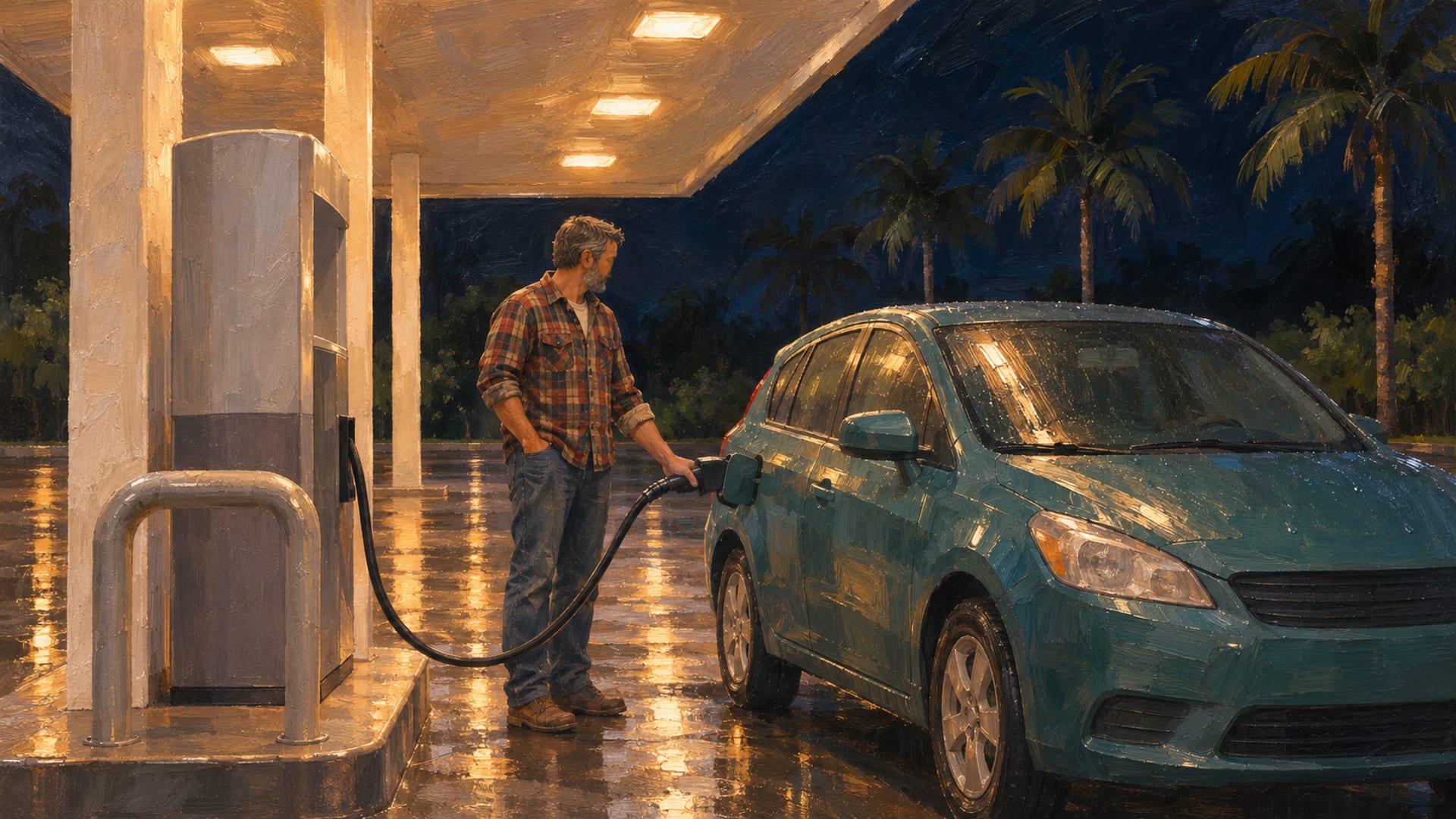
Cars use fuel in GTA 6, and a car that runs empty stops until you refuel it or switch vehicles. Rockstar's GTA VI page lists the game as released on PS5 and Xbox Series X|S with a launch date of November 19, 2026, and the fuel details below describe that launch-week console version.
To refuel, park beside a gas pump, open Services, choose Refuel, check the price and hold the button the screen shows until the tank fills. A PS5 launch recording showed a $25 charge, which is one observed price and not a fixed fee for each car or tank.
Prices, prompts, station counts and recovery options can change with patches, so the pump menu in your own game has the last word. PC players can follow Rockstar's status on the PC countdown, since Rockstar has not announced a PC release date.
Key Takeaways
Fuel is real
Cars burn fuel while you drive, and a car with an empty tank stops running.
The pump routine
Park beside a pump, open Services, choose Refuel, check the price and hold the on-screen button until the tank is full.
One price, not a rule
A PS5 launch recording showed a $25 Refuel charge, so read the price on your own screen before you confirm.
Empty tank options
Launch guides list pushing the car, requesting a personal vehicle where available, or taking another vehicle.
Do cars run out of gas in GTA 6?
Cars burn fuel while you drive, and the vehicle HUD carries a fuel-pump indicator next to the gauge. A PS5 launch recording summarized by GTA 6 DB shows the fuel gauge, the Refuel prompt and the price on screen. When the tank reaches empty, the engine stops and the car cannot keep going under its own power.
You do get a heads-up first. Kotaku tested how long it takes to run out of gas in the released game and reported low-fuel warnings plus nearest-station guidance before the car gives out. PC Gamer's refueling report is titled "Refueling cars in GTA 6 is barely necessary," which fits launch-week play: a full tank lasts through a lot of driving, and a fill-up is a short stop rather than a chore.
One habit is worth building. A car you pick up off the street may start with less fuel than one from your own garage, so glance at the gauge before a long run. The stealing and abandoned cars post covers how cars end up in your hands in the first place.
Fuel also costs money. A GamesRadar+ hands-on account, published November 25, 2026, describes running short of cash at the pump. It is one player's experience, but it is a good reason to keep some money on hand before you leave a build session.
How to refuel at a gas station
The routine is short, and you can run it in about the time it takes to read the prompts. The order below follows the PS5 launch recording, and GTA Guide's refueling walkthrough lays out the same Services and Refuel steps.
Refueling at a gas pump
Stop beside a pump
Pull the car up so the pump prompt appears. Gas-pump symbols on the map show where stations are.
Open Services
The pump interaction opens a Services menu. Refuel sits in it, and Repair appears there where it is offered.
Choose Refuel
Select Refuel to start the fill-up with the character using the nozzle.
Check the price
The cost appears before payment, so read it before you go on.
Confirm and hold
Confirm, then hold the button the screen names until the tank is full.
Controls appear on screen at the pump, so on PS5 and on Xbox Series X|S alike, press whichever button the prompt names. The prompt is also the first place to look if a patch changes the routine later.
If you would like to watch the whole thing before you try it, Chad Reddings' video "How To Refuel/Recharge Your Vehicle in GTA 6", uploaded November 19, 2026, shows a gasoline car being refueled and an electric car being charged.
How much refueling costs
The price appears before you pay, and that screen is the number to trust. One PS5 launch recording showed a $25 Refuel charge. Treat that as an example from one car on one platform in the launch version, not a price that holds for each vehicle, tank level or update.
The practical move is simple: read the amount, then confirm. If the number looks different from $25 on your screen, that is normal, because the cost you see is the cost that applies to your car at that moment.
Money matters here because fuel is a real expense in the launch game. Keep that in mind if you are spending heavily on paint, wheels or parts, and leave room in your wallet for the pump. The GTA 6 car customization post covers where the build money goes.
Finding the nearest gas station
Start with the warning. When fuel runs low, the game can flag it and point you to a nearby station, as Kotaku reported from its launch-week testing. Follow that marker and you will usually reach a pump before the car stops.
The map is the second tool. PC Gamer describes gas-pump symbols on the map, and the station cards in the PS5 recording tie each station to a map location. Open the map, look for the pump symbol closest to your route, and set a waypoint.
Several third-party launch guides put the station count at 57. Treat that as a launch-week figure, since map updates and patches can change it, and use the in-game map and Index for the current list. GTA Vice Guides' gas station page also lists station locations and the shops attached to stations. For the wider map, the Leonida map page is a good place to plan a route that passes a pump.
What happens when the tank is empty
The engine stops, and the car cannot continue under its own power. Launch guides, including GTA Guide and GTA6 House's gas station page, list three ways out: push the car, request a personal vehicle where that option is available, or take another vehicle.
Pushing works for a short gap to a station. For a longer gap, a personal vehicle is the cleaner answer, and the personal vehicles post and the garages post explain how owned cars come back to you. Taking another vehicle is the quickest fix when a pump is far away and you just need to keep moving.
Imack Studios has a creator experiment called "What Happens When You Run Out of Gas in GTA 6?" if you want to see an empty tank play out. It is one creator's run, so check your own screen for the options your game offers.
Gas cars and electric cars
Electric vehicles use charging points instead of gasoline pumps. PC Gamer and GTA Guide both describe the Electric Vehicle Charger, and the Chad Reddings video above demonstrates charging an electric car right after refueling a gasoline one.
So, if you drive an electric car, skip the pump and look for a charger. If you switch between a gasoline car and an electric one, the energy source changes with the car, and so does the station you need. The in-game menu labels the options, which saves you from guessing at the stop.
Charging costs and charger locations can change with patches, so read the screen before you confirm. For cars that come with an electric drivetrain, the muscle, classic, luxury and electric cars post covers what is on offer.
Motorcycles, boats and aircraft
Cars are the simplest case. Launch guides and creator footage report that motorcycles use fuel too, so treat a bike like a car and watch for the same warning. At a station, follow the prompt on your screen, since the exact routine for bikes is easiest to confirm in your own game.
Boats and aircraft are handled separately. For boats, the boat repair and storage guide covers marine services, and your boat's HUD shows whether a fuel indicator is present. For planes and helicopters, check the vehicle HUD and the service prompt near where you park, and read the planes and helicopters post for the aircraft themselves.
Fuel by vehicle type
| Vehicle type | Energy | Where to restore it |
|---|---|---|
| Gasoline car | Fuel | Gas pump, then Services and Refuel |
| Electric car | Battery | Electric Vehicle Charger |
| Motorcycle | Fuel, per launch guides and creator footage | Follow the prompt at the station |
| Boat | Check the boat's HUD | See the boat repair and storage guide |
| Plane or helicopter | Check the vehicle HUD | Look for the service prompt near where you park |
Jerry cans and roadside refueling
Players often ask whether a jerry can can refuel a stranded car. In launch coverage, the jerry can appears as a mission object. When a car runs dry, use a gas station or one of the recovery options above: pushing, a personal vehicle, or another vehicle.
That keeps the plan simple. Do not count on a portable can to bail you out on a long highway stretch. Refuel at the warning, and the question never comes up.
What a gas station repair covers
Gas stations handle fuel and can offer basic repairs. PC Gamer reports that a station can offer a separate Repair service, with the price depending on the car's damage. You will see Repair in the same Services menu as Refuel when the station offers it.
Broader repair and paint work belongs to other places. The Pay 'n' Spray guide covers repair and the paint shop, and mod shops cover customization. If you are building a car, the garage is the page for builds, paint and wheels, and the mod shop locations post points to where the work gets done.
Fuel questions
Short answers for the questions players type most, with the longer version in the sections above.
Do you have to stop for gas?
Eventually, yes, if a car's fuel reaches empty. In ordinary play, stops are infrequent because tanks last through a lot of driving and the game warns you first.
Can an electric car use a gas pump?
No. Electric cars use an Electric Vehicle Charger, and gasoline cars use the pump. If the car runs on a battery, look for the charger symbol and follow the prompt there.
Does fuel work the same in GTA 6 Online or on PC?
The details here describe the launch-week console game. Check Rockstar's current online information before you apply these steps to GTA 6 Online. Rockstar's GTA VI page lists PS5 and Xbox Series X|S, and Rockstar has not announced a PC release date; PC players who mod GTA 5 can read the mod rules for safe habits in the meantime.
Park at the pump with a full tank
Fuel is a short stop in GTA 6: spot the warning, find the pump symbol, open Services, choose Refuel, check the price and hold the button until the gauge is full. When you have a car you love, a fuel stop is also a great place for a screenshot, so if you capture one, submit a public post link and let other players see the build. Then roll back out with a full tank and the road ahead.
Glossary
Tap a term to see what it means.
Fuel gauge. The HUD indicator that shows how much fuel a vehicle has left.
Services. The menu that opens at a pump and holds Refuel and, where offered, Repair.
Refuel. The Services option that fills the tank after you check the displayed price and hold the on-screen button.
Electric Vehicle Charger. The charging point that electric cars use instead of a gasoline pump.
Gas station. A map location where vehicles can refuel and that may offer other services.
Pay 'n' Spray. A vehicle service shop for paint and repairs.
Mod shop. A customization location for car builds, covered across this site's customization posts.
Jerry can. A portable fuel container that appears as a mission object in launch coverage.
Related articles

GTA 6 bonus vehicles: how to claim, keep or get rid of them
Claim GTA 6 bonus vehicles from Pause Menu, Store, then pre-order bonus. Ultimate Edition vehicles unlock by chapter. Plan garage space before you claim.
How to get chrome rims in GTA 6
Learn how to get chrome rims in GTA 6: open Wheels at a compatible Mod Shop, check Rim Colors and Rim Style, and compare Anodized and Pro Build routes.
GTA 6 paint colors and finishes: what the Respray menu offers
Check the GTA 6 paint colors your car can use: open Cosmetics, then Respray at a compatible Mod Shop, preview the swatch and read the price before you buy.