How to get and change underglow in GTA 6
Learn where to install underglow in GTA 6 at a Mod Shop, check whether your car supports it, and turn the neon lights on or off on PS5 and Xbox Series X|S.
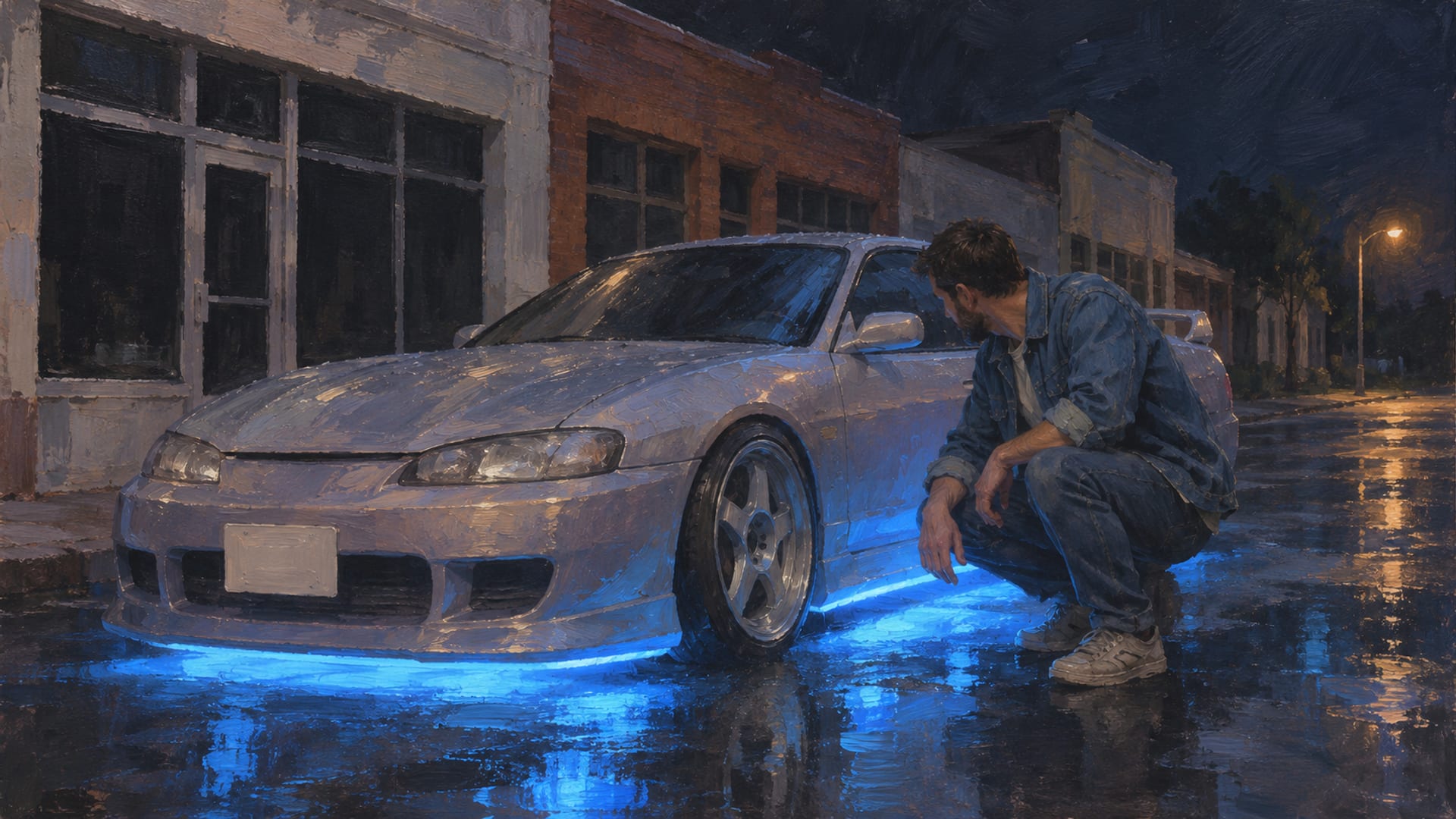
On PS5, you switch underglow on or off from inside the car: hold Left on the D-pad, push the right stick up to Vehicle, pick Underglow with L1 or R1, and press Cross. On Xbox Series X|S the same menu opens, and the on-screen prompt shows the button to press.
To add underglow in the first place, take a compatible car to a Mod Shop and open the Cosmetics tab, where CutsceneWire's launch-week mod shop guide places it beside respray, wraps, decals and plates. The option depends on the car. On PS5 at launch, a Manana showed Underglow and an Übermacht Apoc did not.
The colors and the price you see belong to that car's menu on the day you look. GTA VI launched on PlayStation 5 and Xbox Series X|S on November 19, 2026, so menus, prices and vehicle lists can still change with patches.
Key Takeaways
Toggle
In a car that has underglow, hold Left on the D-pad, switch to the Vehicle tab with the right stick, select Underglow and press the confirm button to turn it on or off.
Install
Underglow is installed at a Mod Shop under the Cosmetics tab, and only when the car you drove in offers it.
Colors and price
Green and pink have been seen in game, but the colors and the price for your car come from its preview screen.
Look only
Underglow is a visual choice, so treat it as a look and not as a way to change how police respond.
Turn underglow on or off from the driver's seat
Once a car has underglow fitted, the control lives in the interaction menu you open while seated in it. The steps below come from the PS5 walkthrough by Mrs. and Mr. Video Games, recorded on the launch build on November 22, 2026, and you can read their page at How to Turn On Underglow.
Toggle underglow on PS5
Get in
Sit in a car that has underglow installed.
Open the menu
Hold Left on the D-pad.
Switch tabs
Push the right stick up to move from Radio to Vehicle.
Pick the option
Use L1 or R1 to highlight Underglow.
Flip the switch
Press Cross to change On to Off, or Off to On.
Turning it off uses the same route. Select Underglow again in the Vehicle tab and press the confirm button, and the state changes back. There is no separate trip to a shop to switch the lights off, so you can run them for a night drive and turn them off for a daytime screenshot without leaving the seat.
What Xbox players see
The interaction menu is the same on Xbox Series X|S, and the on-screen prompt supplies the Xbox button. VicePulse's vehicle customization guide maps general vehicle-menu tab controls to LB and RB, with A to confirm. Open the Vehicle tab first and follow the prompt your screen shows, since button prompts can shift after a patch.
If the Vehicle tab never shows Underglow, the car probably does not have it fitted, or does not support it. The sections below cover how to check.
Add underglow at a Mod Shop
Underglow is a cosmetic part, so it sits with the other looks. CutsceneWire's mod shop guide puts it in the Cosmetics tab of the Mod Shop menu, next to respray, wraps, decals and plates. Drive the car you want to change into the shop, then work through the steps.
Install underglow at a Mod Shop
Check the game
Run GTA 6 on PS5 or Xbox Series X|S, the two platforms it launched on.
Pick the car
Drive in a car whose menu offers an Underglow option.
Reach a shop
Go to a Mod Shop you have already found on the map.
Open Cosmetics
Choose the Cosmetics tab in the shop menu.
Select Underglow
Highlight Underglow if it is listed for this car.
Read the preview
Look at the option and the price on the preview screen.
Buy and apply
Confirm the purchase to fit it to the car.
Test it
Leave the shop and use the Vehicle tab to switch it on and off.
Read the preview screen before you confirm, since it shows the option and the price for that car. For paint and finish choices that sit in the same tab, see GTA 6 paint jobs, and for the general shop menu, GTA 6 car customization walks through the launch-day categories.
Which shop to drive to
Shops differ by car. The Leonida Rundown customization guide reports that regular Mod Shops carry general upgrades while specialist shops carry parts for particular vehicles, and it suggests opening the map's Vehicles list, choosing Mod Shops, and reading the shop card before you drive there. You can read it at Leonida Rundown's GTA VI vehicle customisation guide. Our Leonida map page is a place to plan the route, and GTA 6 Mod Shop locations goes deeper on where the shops are.
Open the shop card on the map before you set off, so you know what that shop carries for your car before the drive across Leonida.
Check whether your car supports underglow
Underglow is vehicle-specific. In the PS5 launch build, a Manana showed the option and an Übermacht Apoc did not. One-Eyed Willie's own GTA 6 car customization guide describes lighting as vehicle-specific too. So the answer to "which cars have underglow" is a check you make on the car you are driving, not a list you can memorize.
The quickest check is the Vehicle tab. Open it with the steps above. If Underglow appears there, the car exposes the option. If it does not, that car does not show the option in the menu on your version of the game.
The second check is the Cosmetics tab in a Mod Shop. Drive in, open Cosmetics and look through the list. Underglow is there when the car offers it. A car that skips it still has the rest of its Cosmetics options, so you can go on to wraps, decals or plates and come back to neon on another car.
Why a car you like may not offer it
The menu shows what the car in front of you offers, and vehicle lists can change with an update. Treat any list of cars with underglow as a snapshot of one day. If a car you care about is missing the option today, check again after the next patch, and read its preview screen before you spend money on other parts for the build.
Our post on personal vehicles is a good next stop for the cars you keep, and the Garage shows how creators set up their builds.
Colors you can expect to see
Two colors have been seen on screen. The PS5 walkthrough shows green underglow on Lucia's '77 Manana, and pink underglow was seen on another road vehicle. Treat those as examples of what the game can show, and not as the full palette.
The menu for your own car is the guide. Open Cosmetics, then Underglow, and use the options that appear there before you buy, since the colors and the price for a given car come from its preview screen.
Changing the look after installation starts in the same place. For a car that already has underglow, the Vehicle tab handles On and Off. To look at other options, take the car back to a Mod Shop, open Cosmetics and Underglow, and read what the preview screen offers that day.
Color is worth planning with the paint. Wraps and decals sit in the same tab and change how the whole car reads. The paint jobs guide covers the body color side, and wheels and rims covers the other big part of the look. For ride height, how to lower your car explains the suspension side of a build.
What it costs and who can open it
There is no single price to quote for underglow. Mod Shop prices vary by car and by part, so read the number on the preview screen before you buy. That price is also the number that can change after a patch.
Edition and story progress affect the shops themselves. Rockstar's platform and edition support page lists Standard and Ultimate editions, and says the Ultimate Edition includes Rideout Customs and One-Eyed Willie's Mod Shop, with content introduced through story progression. Our Ultimate Edition write-up explains what that edition adds. Which shops carry underglow for your car is something the shop card and the car's menu will show, in the edition you are playing.
CutsceneWire reports that Mod Shops open in Chapter 1, after the Just a Scratch and Fix Your Car sequence. If you cannot find a shop yet, check how far you are in the story, and confirm access in the edition and story chapter you are playing. For options that show as locked, see GTA 6 customization locked.
Underglow at night and with the police
Neon is easiest to see after dark, so a night drive, a parked meet or a photo-mode shot in low light puts it on show. If you take screenshots, switch the glow on before you open photo mode, and use photo mode tips for framing and lighting.
Underglow is a visual choice. Treat it as a look, and do not count on it to change how police respond. For the police side of the game, start with GTA 6 police cars, and for plates and registration see registering a car and license plates.
What to try when Underglow is missing
If the Underglow entry is not where you expect it, work through these checks in order and stop when it appears.
- Use the Vehicle tab for a fitted car, and the Cosmetics tab in a Mod Shop for a car you want to change.
- Try a different car. The same shop can offer underglow on one car and not on another.
- Check the shop card on the map, since specialist shops carry parts that regular shops do not.
- Confirm the shop has opened for you in your story chapter, and check your edition.
- Look again after a patch, since menus, prices and vehicle lists can change.
If none of that brings it up, the car may not offer the option in the version of the game you are playing. Pick another car for the neon build, and open the menu again after the next update.
PS5 and Xbox controls side by side
The route is the same on both consoles, with different button names. The PS5 steps come from the Mrs. and Mr. Video Games walkthrough, and the Xbox column follows the vehicle-menu mapping in VicePulse's guide, so confirm each button against the prompt on your screen.
Underglow controls on PS5 and Xbox Series X|S
| Step | PS5 | Xbox Series X|S |
|---|---|---|
| Open the interaction menu | Hold Left on the D-pad | Same menu; follow the on-screen prompt |
| Reach the Vehicle tab | Push the right stick up | Push the right stick up; tab buttons are LB and RB in VicePulse's guide |
| Highlight Underglow | L1 or R1 | LB or RB |
| Confirm On or Off | Cross | A, or the button the prompt shows |
Questions players ask about underglow
Four short answers cover the questions players search for about neon in GTA 6.
How do I turn underglow off in GTA 6?
Sit in the car, hold Left on the D-pad, move the right stick up to the Vehicle tab, select Underglow and press the confirm button. Pressing it again turns the lights back on.
Can I change the underglow color?
Colors depend on the car. Open Cosmetics, then Underglow, in a Mod Shop and use the options your car shows. Green and pink have been seen in game, but the menu in front of you is the guide for your car.
Why does my car not show Underglow?
The option is vehicle-specific. A Manana showed it on PS5 at launch and an Übermacht Apoc did not. Try another car, or check the car's Cosmetics tab in a shop again after a patch.
Does the Ultimate Edition include underglow?
Rockstar lists named shops with the Ultimate Edition, but underglow itself depends on the car and the shop menu. Check the shop card and the car's menu in the edition you are playing.
Where to go next
Underglow is one part of a build, and the rest of the customization menu is covered across the site. A good order is GTA 6 car customization for the shop menu, paint jobs for color, wheels and rims for the stance, and performance upgrades for the parts you cannot see.
For a look at a Mod Shop menu in motion, The Breakdown's video How to Customize Your Car in GTA 6 shows a shop menu, finding shops on the map and the Cosmetics tab. Rockstar's launch page lists the platforms GTA VI is available on, and the PC countdown tracks where PC stands. If you play GTA 5 on PC, the mod rules cover how to modify the game safely and for single-player only.
If you build something with neon and want it seen, send the public link through Submit, and see the Garage for how other players set up their builds.
Glossary
Tap a term to see what it means.
Underglow. Decorative lighting fitted beneath a car, shown as neon in the game's menus.
Vehicle tab. The tab in the in-car interaction menu that holds vehicle controls, including the Underglow switch.
Mod Shop. A map location where cars are repaired and customized.
Cosmetics. The Mod Shop tab that holds visual options such as respray, wraps, decals, plates and underglow.
Vehicle-specific option. A setting or part that only some cars offer in their menus.
Preview screen. The menu view that shows an option and its price before you buy it.
D-pad. The directional pad on the controller, used here to open the interaction menu.
Related articles
License plates in GTA 6: swapping, registration and trackers
License plates in GTA 6: a respray changes how a car looks, but registration is the step that swaps the plate and makes the car yours. Check the fee first.
How to lower your car in GTA 6: suspension and stance
Lowered, Street, Sport and Competition are the GTA 6 suspension levels. Compare their ride height and handling stats on your car, and check clearance.
Pay 'n' Spray in GTA 6: locations and what it fixes
Pay 'n' Spray in GTA 6 repairs damage, changes paint and lowers vehicle heat once police lose direct sight. Find the 19 reported locations on the map.