Why is customization locked in GTA 6?
Why is customization locked in GTA 6? Check the shop tab, your character, the story step, vehicle registration and edition. The Store shows each requirement.
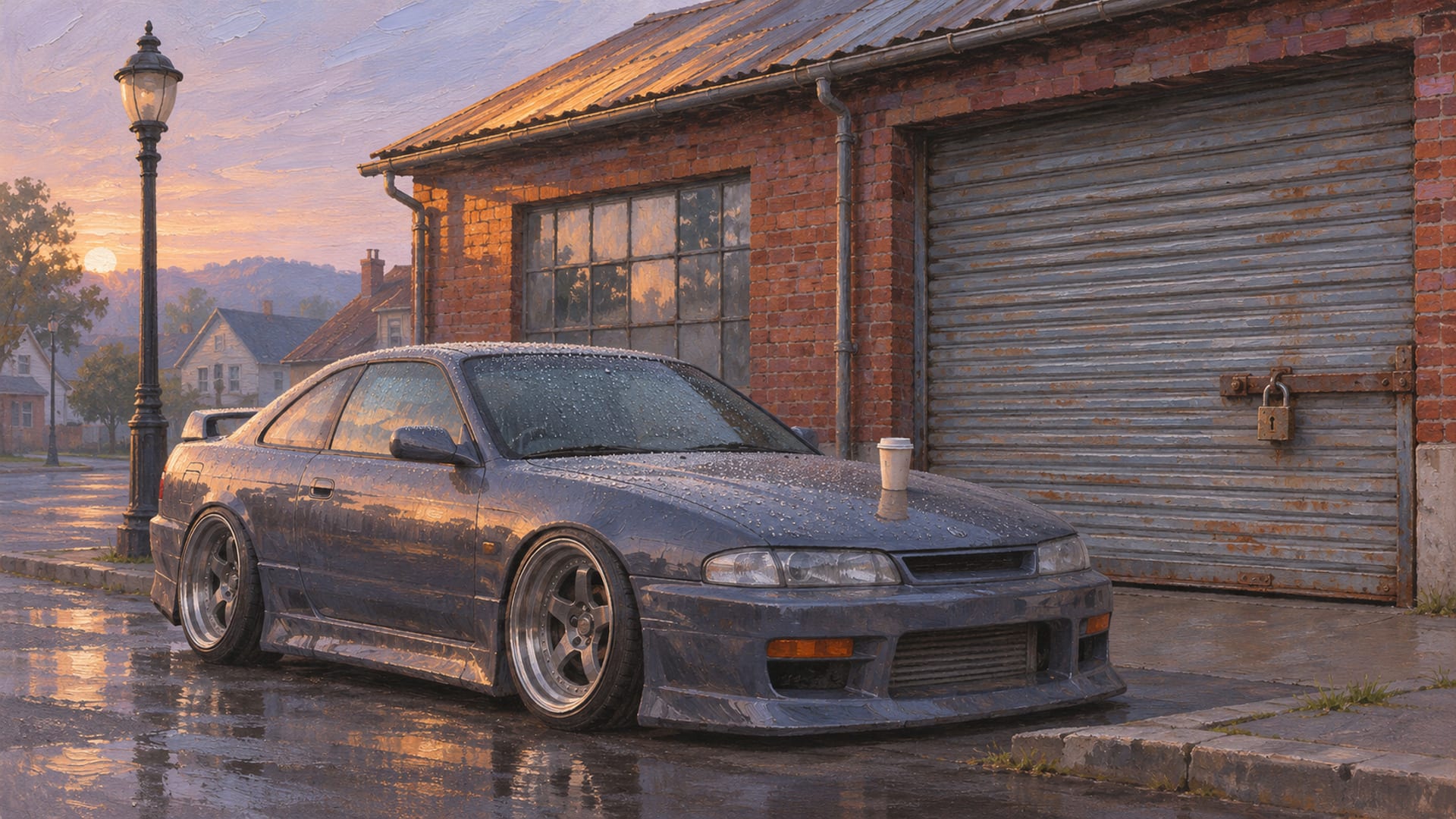
Locked customization in GTA 6 usually comes down to the shop tab, the character, the story step, the car's registration, your cash, or your edition. On PS5 and Xbox Series X|S, each of those has its own quick test at the counter.
Run them in that order and a greyed-out option usually points to its cause within a minute or two. The Store menu in the game lists the requirement for bonus content, so you can read the reason instead of guessing.
The edition question deserves a straight answer. Rockstar names five Ultimate Edition locations and a set of bonus items as part of the Ultimate Edition Upgrade, and Standard owners can buy that Upgrade later. The other locks are earned in play or come down to a menu choice.
Key Takeaways
Tabs first
A shop can hide options behind a tab such as Signature versus Standard, so cycle the tabs before assuming anything is locked.
Character matters
Some clothing, hairstyles, weapons and bonuses belong to Jason or Lucia separately, so the wrong protagonist can make a style look unavailable.
Cars need to be yours
PC Gamer reports that a vehicle with a standard tracker cannot be modified until it is registered as your own.
Edition versus progress
Rockstar ties five named shops and the bonus items to the Ultimate Edition Upgrade, while story steps, character, registration, money and repairs are earned in play.
Run the checks in this order
Start at the counter with the cheapest test, which is the tab bar. Mod shops, salons and clothing stores split their stock into categories, and the item you want may simply sit under a different heading than the one you opened.
From there the order moves from the quickest test to the slowest, so you rule causes out without wasting a trip to the story menu or the store page.
Check a locked option at the shop
Find the tab
Cycle every category tab in the shop, including Signature and Standard where both appear.
Confirm the character
Check whether you are playing Jason or Lucia, since some items belong to one of them.
Check the car
Look at whether the vehicle is registered as yours, repaired and affordable to modify.
Read the Store
Open the Store and look at the requirement listed for the bonus in question.
Match the shop
See whether the location is one of the five named Ultimate Edition shops.
Record the message
If nothing fits, write down the exact message and your game version before restarting or updating.
Check the shop tabs first
The Breakdown's launch-day video, "How to Customize Your Car in GTA 6," shows the vehicle customization menu split into Pro Builds, Cosmetics, Bodywork, Performance, Wheels and Interior. In that video, respray, liveries and plates sit under Cosmetics. If you are hunting for a paint option and cannot see it, the tab is the first thing to change. Watch The Breakdown's car customization video on YouTube to see that layout in that creator's session.
Barbers and salons use tabs too. Output Lag's hairstyle and tattoo guide describes switching between Signature and Standard views, and it reports that different shops show different options. Read the Output Lag hairstyles, barbers and tattoos guide for the controls it describes. Menu names and tab order can change with updates, so treat those names as what creators showed at launch and confirm them in the live menu.
A missing option under one tab is not a lock. A greyed-out option that stays greyed out after you have looked at every tab is the one worth chasing, and the remaining checks cover it.
Confirm whether you are playing Jason or Lucia
GTA 6 has two playable characters, and some items are tied to one of them. PC Gamer's Ultimate Edition bonus guide and Games.gg's Spanish bonus guide both describe personalized weapons, clothing, hairstyles or bonuses assigned to Jason or Lucia separately. Read PC Gamer's Ultimate Edition bonus guide for the launch-week details.
The practical effect is simple. If a style looks unavailable and you are standing in the shop as the other protagonist, switch characters and look again. It is a quick test, and it costs nothing.
Our post on switching to Lucia in GTA 6 covers how the switch works. For how the two characters differ when you build a look, see Jason versus Lucia customization.
Register and repair the car before you modify it
Cars have their own ownership rule. PC Gamer's launch guide to stealing cars reports that a vehicle with a standard tracker cannot be modified until it is registered as your own. PC Gamer's guide to how stealing cars has changed explains the tracker rule in that outlet's words.
So, if the mod shop refuses a car you took off the street, the likely fix is registration rather than any shop setting. Our walkthrough on how to register a car in GTA 6 covers the steps, and stealing and abandoned cars in GTA 6 explains where those vehicles come from.
Repairs are the second car check. LCLoaded's video on refueling and repairing shows separate Refuel and Repair prompts with prices shown before you pay, and the footage shows Xbox button prompts. Watch LCLoaded's refuel and repair video on YouTube to see those prompts. A damaged car may need a repair before the shop will take it, so fix the car, then return to the counter.
Cash is a lock too
Customization menus show a price on parts, and an option you cannot afford behaves like a locked one. The Breakdown's footage shows prices in the customization menus, and LCLoaded's footage shows the repair and refuel prices before service. Prices can change with updates, so read them in the live menu rather than relying on a number you saw in a video.
Money is the cleanest lock to read. If the price is shown and your balance is lower, earn or save in-game currency and come back. If you want to organize the cars you have already built, GTA 6 garages and our garage page cover where they live.
Story progress and the Store
Some bonus content arrives over time, not on day one. Rockstar says Ultimate Edition bonuses are spread across the story. PC Gamer reports that the Store becomes available for these details after mission 11, Coming Home, and that several bonuses appear in later chapters. Games.gg's guide describes the same chapter-based timing and the same Store check.
The Store is where you read the requirement. Open it and look at the entry for the bonus you want; it lists what you need to do for that item. Look for the Store entry in the menus of your own build, and use the requirement text it shows.
Bonus timing for hair, tattoos, clothing and vehicles varies between launch reports. The Store entry in your current game version is the requirement that applies to you, and it can change with a patch.
Which shops are tied to the Ultimate Edition
Rockstar Support lists Standard and Ultimate Editions and names five Ultimate Edition locations: Rideout Customs, One-Eyed Willie's Mod Shop, Sara's Unisex Salon, Stock 305 Clothing Store and Electric Fang Tattoo Parlor. It also lists bonus items with the Ultimate Edition Upgrade. Rockstar Support's page on GTA VI platforms, editions and versions is the page to read for the edition wording itself. Rockstar's Ultimate Edition page lists the named shops, vehicles, clothing, hairstyles, tattoos and bonuses.
Rockstar lists those five named locations as Ultimate Edition content. Standard shops still provide ordinary services, and Standard owners can buy the Ultimate Edition Upgrade later through the PlayStation or Microsoft store for their console.
This website shares its name with the in-game One-Eyed Willie's shop, but it is an unofficial fan site with no link to Rockstar or the game's shop. For a closer look at what the named shops and bonus items cover, see our Ultimate Edition customization items post and One-Eyed Willie's and the Ultimate Edition. The in-game salon has its own page at Sara's Unisex Salon in GTA 6.
Lock types at a glance
Here is the same set of locks side by side, with the quickest test for each and who describes it.
Lock types and how each opens
| Lock type | What you see | Quick test | Who describes it |
|---|---|---|---|
| Wrong tab | Option missing from the list | Cycle the shop's tabs, such as Signature and Standard | Output Lag, The Breakdown video |
| Story progress | A bonus is unavailable | Continue the story and read the Store requirement | PC Gamer, Games.gg |
| Character | Item unavailable for the current protagonist | Switch between Jason and Lucia | PC Gamer, Games.gg |
| Shop type | Different services at different locations | Visit the shop that matches the category | Rockstar Support |
| Vehicle registration | The car cannot be modified | Register the vehicle as yours | PC Gamer |
| Money or repairs | A price, a repair prompt or a purchase you cannot make | Repair the car and return with enough cash | LCLoaded, The Breakdown videos |
| Edition | A named Ultimate Edition shop or bonus is unavailable | Buy the Ultimate Edition Upgrade, or keep using the Standard shops | Rockstar Support |
Is this a paywall? Edition content versus locks earned in play
The fair way to answer this is to split the locks into two groups and let you judge the result.
Edition content is the named Ultimate Edition shops and bonus items. Rockstar identifies them as part of the Ultimate Edition Upgrade, so a Standard Edition copy needs the Upgrade to use those named locations. If a location or reward is on Rockstar's Ultimate Edition list and you own the Standard Edition, the edition is the reason, and the Upgrade is the stated route.
Earned-in-play locks are the story step, the character in use, vehicle registration, money and repairs. Those open through play or through a menu choice, and the Store lists the requirement for each bonus.
Bonus timing, prices and menu names can change with updates, so the split above describes the launch state. To see whether a Standard shop near you covers the same service as an Ultimate Edition shop, check the shop categories on the Leonida map page and then confirm the service at the location in your own game.
What the edition lock looks like in the menu
An edition lock concerns a named shop or a bonus item from Rockstar's list. If a single part is greyed out inside a shop you can use, the cause is more likely the car, the character, the story step or your cash.
If the greyed-out thing is a named shop from Rockstar's list and you own the Standard Edition, the edition is the likely reason. If you own the Ultimate Edition and the content is still unavailable, go back to the Store requirement, since bonuses arrive across the story and the entry will say what is left to do.
Clothing, hair and tattoos
Locked looks follow the same logic as cars, with the character and the shop doing most of the work. Output Lag reports that hair, beard, salon and tattoo availability can vary by shop, tab, character and progression. Treat that as a launch-week description and confirm it in the shop menu in your game.
The checks run in a short order. Confirm you are playing the right protagonist, cycle the tabs in that shop, then try a different barber or clothing store, since one barber can show different options from another. If the missing style belongs to a named Ultimate Edition shop, the edition section above applies.
For clothing menus specifically, see GTA 6 clothing stores, character customization in GTA 6 and our wardrobe page.
Cars and mod shops together
A vehicle can fail on registration, repairs, cash or the shop it is parked at, so the car checks are worth running as a set. GTA 6 car customization lists what the mod shops cover, and the GTA 6 performance upgrades post goes into parts.
If the car is registered, repaired and affordable and the shop still refuses it, check the shop name against Rockstar's five named locations. After that, write down the exact message on screen. A precise message and your game version make a much better report than "it is locked."
What can change after launch
GTA 6 launched on PS5 and Xbox Series X|S on Nov. 19, 2026, according to Rockstar Newswire. Creator videos from the first days show one player's session on one build. Watch them to see the menus in action, and confirm the details in your own game.
These details are likely to move with updates, so check them in your own game:
- Menu names and tab order
- Chapter and mission requirements for bonuses
- Standard and Ultimate Edition availability
- Prices for repairs, fuel, clothing, hair, tattoos and vehicle parts
- The tracker and registration rules
- Which shops stock which items
Quick answers
Short answers to the questions a greyed-out option tends to raise.
Do Standard Edition players get any customization?
Yes. Rockstar says Standard shops still provide ordinary services. The five named Ultimate Edition locations and the bonus items belong to the Upgrade.
Can I buy the Ultimate Edition Upgrade later?
Rockstar says Standard owners can buy the Ultimate Edition Upgrade after launch. It is bought through the PlayStation or Microsoft store for your console.
Do Ultimate Edition bonuses open immediately?
Rockstar says the bonuses are spread across the story, and PC Gamer reports the Store becoming available after mission 11. Read the requirement in the Store, since timing can change.
Does the wrong character cause a locked option?
It can. PC Gamer and Games.gg both describe some items as assigned to Jason or Lucia, so switch characters and look again.
Is GTA 6 on PC?
GTA 6 launched on PS5 and Xbox Series X|S, and Rockstar has not announced a PC release date. Follow our PC countdown for status, and read the mod rules before planning anything for PC.
Where to go next
If you have built something in a shop that opened for you, share the link to your public video or post on our submit page. For the rest of the customization menus, the GTA 6 car customization guide and the wardrobe page are the next stops.
Glossary
Tap a term to see what it means.
Mod Shop. A location where vehicles are customized.
Cosmetics. The mod shop tab that holds appearance options such as respray, liveries and plates.
Signature. A shop view or category that sits apart from the Standard options in places like barbers.
Ultimate Edition Upgrade. The paid add-on that Rockstar says adds the listed Ultimate Edition content for Standard owners.
Story lock. Content that becomes available after a mission or chapter is reached.
Tracker. Vehicle equipment that PC Gamer reports can stop modification until the car is registered as yours.
Store. The in-game menu entry that lists the requirement for Ultimate Edition bonuses.
Registration. The step that makes a tracked vehicle your own so a mod shop will modify it.
Related articles
What customization the GTA 6 Ultimate Edition adds
GTA 6 Ultimate Edition customization: Jason's Dinka Enduro and Crest Kayak, the Ganado Retro Build, Vice City Style outfits and Electric Fang Tattoo.
Is One-Eyed Willie's locked behind the GTA 6 Ultimate Edition?
Is One-Eyed Willie's locked behind the GTA 6 Ultimate Edition? Rockstar lists the shop as Ultimate content. Standard owners can buy the upgrade.
Radio and music in GTA 6: changing stations and custom tracks
Radio and music in GTA 6: hold Left on the D-pad, pick a station with L1/R1 or LB/RB, and release Left. Here is how to turn it off and listen on foot.