How to register a car in GTA 6
Learn how to register a car in GTA 6. Scan it with WAiNK, take a car with no tracker to Moses in Port Gellhorn, respray it and choose Register.
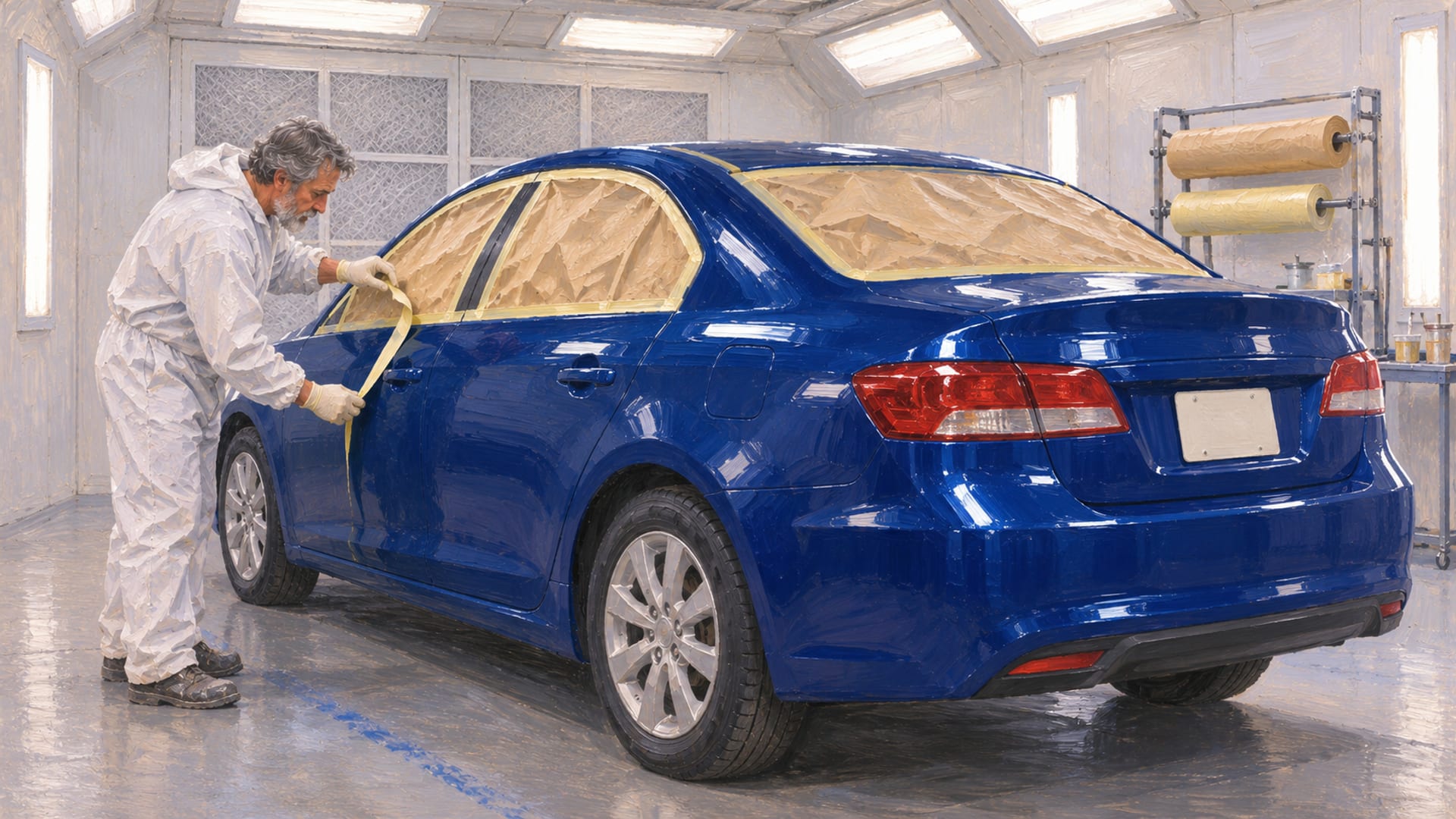
To keep a street car in GTA 6, scan it with WAiNK, take a car with no tracker to Moses in Port Gellhorn, respray it and choose Register. Moses' vehicle mission opens in Chapter 2, and the whole routine takes a few minutes once you have the right car.
Taking a car off the street does not make it yours. It stays a loose vehicle until you register it, and registering turns it into a personal vehicle that sits in your storage. PowerPyx's Moses walkthrough and Shacknews' guide to registering vehicles both lay out the Moses route, and the steps below follow it for PS5 and Xbox Series X|S.
A car with no tracker is the clearest early target. Standard-tracker cars may wait for later story progress at Pay 'n' Spray, and advanced-tracker, police and special vehicles need a closer look at the WAiNK card before you plan around them.
Key Takeaways
Route
Scan the car with WAiNK, drive a no-tracker car to Moses in Port Gellhorn, respray it in a different color and choose Register.
Cost
The first registration is reported as free, and later registrations cost in-game money based on the vehicle's value.
Storage
A registered car takes a vehicle storage slot, so clear one by buying garage space or selling a vehicle if none is free.
Edge cases
Standard-tracker cars may wait for later progress, and for advanced-tracker, police and special vehicles, look for a Register option before you count on keeping one.
What you need before you start
The registration route runs through a mission, so the first requirement is story progress. Moses' vehicle mission becomes available in Chapter 2, and PowerPyx places it after the mission Girl's Trip (Find Painkillers). Guides number the mission differently, so go by that mission name rather than a mission count.
You also need a phone, because the WAiNK app is how you read a car before you commit to it. And you need a car worth the trip. Spend a minute choosing one, since the scan tells you in advance whether the car is a good fit for the route.
Everything here describes the PS5 and Xbox Series X|S versions. Rockstar's launch page lists those two platforms, and no PC release date or PC requirements have been published, so nothing here applies to a PC version. For the PC timeline, see the PC countdown.
A good habit is to settle three things before you set off: which car you are taking, whether its tracker status fits the route, and where it will be stored. Doing that at the curb, with the scan open, saves a wasted drive across the map and keeps the Moses mission quick.
Mission names, fees, tracker rules and storage behavior can shift with patches and regional updates. Where a menu shows something different from what is written here, trust the live menu in your own game.
Moses' Chapter 2 registration route
Moses is a mechanic with a garage in Port Gellhorn, the region that opens his vehicle mission. If you want a refresher on that part of the map, the Port Gellhorn guide and the Leonida map cover the area. The sequence itself is short, and each step matters.
The steps in order
Here is the route from the first scan to the finished registration.
Register a car, step by step
Reach Moses' mission
Progress through Chapter 2 until Moses' vehicle mission becomes available, after Girl's Trip (Find Painkillers) in PowerPyx's walkthrough.
Scan the car
Open WAiNK and scan the car to read its access requirements, alarms, trackers, sale value and registration cost.
Pick a no-tracker car
Choose a car with no tracker for the early route, and avoid taking it from too close to Moses' garage.
Drive to Moses' garage
Take the car to Moses' garage in Port Gellhorn.
Respray it
Change the car to a different color before registering.
Choose Register
Select Register, and the car becomes your personal vehicle.
Confirm the slot
Check that the car appears among your personal vehicles and that it has a storage slot.
PowerPyx reports that a car with no tracker can be registered during the mission itself. That is why the no-tracker car is the simple choice: the route is built around it, and nothing else has to line up first.
What you end up with
When the registration goes through, the car becomes the protagonist's personal vehicle. It is yours to keep, it uses one of your vehicle storage slots, and it is no longer a car you would simply abandon on the street. From there it is a vehicle you can build on, and the GTA 6 car customization article covers what you can change once the car is yours.
Where the route can trip you up
One detail from PowerPyx's walkthrough is worth knowing before you start. A car taken too close to Moses' garage may be rejected, so pick one up a little farther out and drive it in. If a car is turned away, scan it again, read the card and try a different one.
The respray is not optional. PowerPyx and GTABase's Spanish mission page both put it ahead of the Register choice, and the paint has to differ from the color the car came in. If you want ideas for the color itself, the GTA 6 paint jobs article covers the options.
How WAiNK helps you choose a car
WAiNK is the phone app that does the reading for you. PC Gamer's look at how stealing cars has changed describes it as a tool that shows how a car can be accessed, whether it has an alarm, whether it carries a tracker, what it would sell for and what it costs to register. Rockstar's preview material, as GamesRadar+ reported it in August, described the same idea: scan a car and see its details before you take it.
That makes the scan the first move, not the last. Before you commit to a car, scan it and read three things: the tracker status, the registration cost and the sale value. The tracker status tells you which route the car belongs on. The cost tells you what the registration will take from your cash. The sale value tells you what the car is worth if you later decide to sell it rather than keep it.
The card is also your answer for any odd case. If a vehicle is unusual, the WAiNK card and the Register prompt on that car are the two places that tell you what is possible. Menu labels can change with updates, so treat the wording in your own game as the final say.
Alarms and access
The same scan shows how hard a car is to get into. PC Gamer notes that some locked cars open with a Slim Jim, a tool for opening certain locked vehicles without breaking the window, and that some keyless cars need a key cloner, which PC Gamer places in Chapter 3. Access is a separate question from registration, and the GTA 6 stealing and abandoned cars article goes through it in detail.
Tracker types and cars to avoid
Trackers decide which cars suit the early route. Reports describe four situations, and the table gives the quick read for each. A car with no tracker is the one the Moses mission is built for. A standard-tracker car is reported as restricted early in the story. An advanced-tracker car is the one to leave alone early on.
Which cars can be registered early
| Vehicle condition | Early route | Likely restriction | What to do | Reported by |
|---|---|---|---|---|
| No tracker | Moses, Chapter 2 | Needs an open storage slot | Scan with WAiNK, respray, choose Register | PowerPyx, November 18, 2026 |
| Standard tracker | Pay 'n' Spray later in the story | May wait for Chapter 3 progress | Confirm the unlock and fee in your own game | GTA Playbook, November 19, 2026 |
| Advanced tracker | Not an early route | Pay 'n' Spray rejection reported | Skip it unless the game shows a valid Register option | Playnews, November 20, 2026 |
| Police or special vehicle | Check in game | Vehicle-specific limits may apply | Read the WAiNK card and the Register prompt first | Check in the live menu |
Standard trackers
GTA Playbook's guide to keeping a car reports that standard-tracker cars are restricted early in the story and that registering them at Pay 'n' Spray is tied to Chapter 3 progress. Shacknews points to a later Pay 'n' Spray route as well. Standard-tracker cars open up later in the story, so the practical move is to keep playing and watch for the Register option at a Pay 'n' Spray.
Advanced trackers
Playnews' tracker guide reports that Pay 'n' Spray turns advanced-tracker cars away and that personal garages cannot store them. That is a strong reason to leave them for later. If you want to know whether a particular car falls into this group, the WAiNK scan is the quickest way to find out.
Police, emergency and special vehicles
Do not plan around keeping a police cruiser or another special vehicle. Nothing guarantees that a given police or emergency vehicle can be registered, and the rule can differ from one vehicle to the next. Scan it, read the card, and see whether a Register prompt appears in your build. If it does not appear, treat the car as one to drive, not one to keep. For the police fleet itself, the GTA 6 police cars article covers what is out there.
Edition and bonus vehicles
Cars that come with an edition or a bonus are a different case from street cars. Check whether the vehicle is already assigned to you, whether it is sitting in a garage, or whether the game offers a Register step for it. If it is already yours, there is nothing to register.
Registration fees and storage slots
The first registration is reported as free, which makes the Moses mission a good moment to pick a car you actually want. Shacknews reports that later registrations cost in-game money based on the vehicle's value, and that high-end cars can run past $20,000.
A launch-day recording gives one worked example. GTA Playbook's summary of a PS5 recording shows a vehicle card with a $28,550 registration cost for an Ocelot Jugular. That is one car on one card, not a price list, so scan the car you are looking at and use the amount the card shows. In the live menu, that amount appears as the Cost to Register.
Why storage comes first
A registered car becomes your personal vehicle and takes up a vehicle storage slot. If there is no free slot, PowerPyx says to buy additional garage space or sell an existing vehicle before you register another.
So, count your slots before the drive. A car you like is no use at Moses' garage if it has nowhere to go. The GTA 6 garages article covers capacity and where the space comes from, and the GTA 6 personal vehicles article covers how owned cars behave once they are yours.
Keep it or sell it
Registering is one of two things you can do with a car you took. The other is to sell it, which is a different decision with its own locations and buyers. The scan shows the sale value, so you can weigh the two choices on the same card. For selling, the where to sell cars article takes over. Cars you buy, as opposed to cars you take, come through a separate route, covered in where to buy cars.
If a registered car is ever seized, recovering it is its own process, and the GTA 6 car impound article walks through it.
Pay 'n' Spray and later progression
Moses is the early route, and it is not the only one. Shacknews reports that after more story progress, Pay 'n' Spray locations offer registration too. Look for a Register option in the Pay 'n' Spray menu as the story moves on, and check a standard tracker's status in WAiNK before you drive there.
Because of that, the careful approach is to play on and test it. When you reach a Pay 'n' Spray later in the story, bring a car you scanned earlier and look for the Register option. If it appears, the car is eligible in your build. If it does not, the card on that car is still the thing to read.
The same caution applies to the fee. A Pay 'n' Spray registration follows the same value-based pricing, so a pricey car will cost more than a modest one. Read the Cost to Register before you pay.
Questions players ask
Short answers to the common questions about Moses' garage and the Register choice follow.
Does stealing a car make it yours?
No. Shacknews is clear that registration is required. Until you register a car, it is a loose vehicle, and only a registered car becomes a personal vehicle with a storage slot.
Do I have to respray before registering?
Yes, on the Moses route. PowerPyx and GTABase both list the respray ahead of the Register choice, and the color has to be different from the one the car had.
Is the first registration really free?
Shacknews reports that it is. Later registrations are priced by the vehicle's value, so treat the first one as the time to pick a car you will want to keep.
Why can't I register my car?
Several things can stand in the way. The car may have a tracker the route does not accept, there may be no free storage slot, the car may have been taken too close to Moses' garage, or it may be a police or special vehicle. Scan it, read the card, clear a slot and try a car with no tracker.
Before your next trip to Moses
Run the checklist once and the routine becomes automatic. Scan the car, confirm no tracker, read the cost, confirm a free slot, drive it to Moses' garage, respray it and choose Register. The garage page collects vehicle ownership and storage on the site.
Once the car is yours, make it look the part. If you build something worth showing, send the link through the submit page so it can be reviewed for the community.
Glossary
Tap a term to see what it means.
WAiNK. The phone app that shows a vehicle's access requirements, alarms, trackers, sale value and registration cost.
Moses. The Chapter 2 mechanic in Port Gellhorn whose vehicle mission is the early registration route.
Register. The choice that turns a taken street car into a personal vehicle.
Personal vehicle. A registered car assigned to your character and connected to a storage slot.
Standard tracker. A tracker reported to hold a car back from early registration until later story progress.
Advanced tracker. A stronger tracker reported to be turned away at Pay 'n' Spray and refused by personal garages.
Pay 'n' Spray. A vehicle service location reported to offer registration after further progress.
Slim Jim. A tool for opening some locked vehicles without breaking the window.
Related articles
How to get your car out of the impound in GTA 6
Get your car out of the impound in GTA 6 by finding the marked police lot on the map's Personal index, or request delivery through Scooter Bros.
Where to find GTA 6 car pictures and screenshots
Find GTA 6 car pictures in Rockstar's galleries, then take your own screenshots with Photo Studio or the PS5 and Xbox capture tools. Credit what you share.
GTA 6 garages: locations, space and storage
Find GTA 6 garage locations, the slots reported at launch, story and edition unlocks, and how to store and register a car on PS5 or Xbox Series X|S.